Hey there,
v0.12.5 is out! This release introduces a redesigned tab experience, making it easier to open and manage multiple pages with handy keyboard shortcuts and polished visuals.
⌨️ Useful shortcuts
Ctrl/Cmd + Click: Open a page in a new tab.Ctrl/Cmd + W: Close the current tab.Ctrl/Cmd + Tab: Cycle through tabs.Ctrl/Cmd + T: Open the search panel, then open New page or a search result in a new tab.
⚡️ More intuitive tab management
- Drag any tab left or right along the tab bar to reorder it.
- Right-click a tab to pin it, reopen the last closed tab, or close tabs to the left or right.
Read the complete tab management guide.
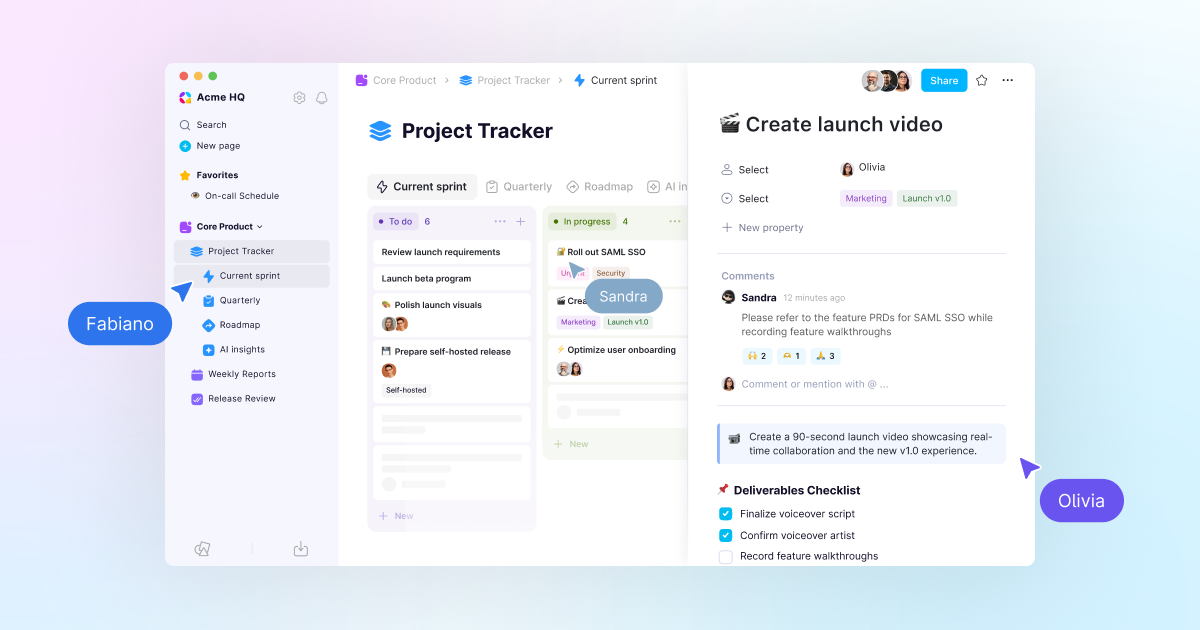
💬 Block-level comments in database row pages
Keep discussions where the work happens.
- Comment directly inside database row pages.
- React with emojis for quick responses.
- @Mention teammates to ask questions or share feedback.
- Notify mentioned teammates in the app and through mobile push notifications.
🎨 Kanban Board column coloring
Color Board columns from their group property, including the entire column container, to add more visual structure to your workflow.
🔥 Upcoming releases
- Database row pages that can be mentioned, shared, favorited, and linked.
- Revamped database Relations with improved UX and visuals.
🛠️ Work in progress
- Space-level granular permissions.
- Database version history.
Note for Windows users: This release uses a newly renewed code-signing certificate. You may temporarily see a Windows SmartScreen “unrecognized app” warning. The app is properly signed and safe. If prompted, select More info → Run anyway. The warning will disappear as the certificate builds reputation.
Until next time,
The AppFlowy Team