If you are comparing AppFlowy vs Outline for self-hosted knowledge management, the right choice depends on whether you need a focused team wiki or a broader operational workspace.
The short answer: choose Outline when your main requirement is a polished wiki for writing, organizing, searching, and publishing team documentation. Choose AppFlowy when you want those knowledge-management capabilities together with relational databases, multiple project views, forms, charts, native mobile apps, AI meeting notes, transcripts, and local or on-premises AI.
Both products support self-hosting, multi-user real-time collaboration, document hierarchies, comments, version history, granular access control, SSO, APIs, and AI-powered answers. The difference is not that one collaborates while the other works offline. The difference is product scope: Outline specializes in documentation, while AppFlowy is designed to connect documentation with structured work.
For a visual feature comparison, see AppFlowy vs Outline. If you are evaluating a wider shortlist, read Best Self-Hosted Notion Alternatives in 2026.
Research methodology: AppFlowy publishes this comparison. We reviewed official product pages, documentation, pricing, release notes, licenses, and public repositories for both products on September 27, 2026. Features and edition limits can change, so verify requirements that are critical to your deployment during a proof of concept.
AppFlowy vs Outline at a glance
| Requirement | AppFlowy | Outline |
|---|---|---|
| Primary focus | All-in-one workspace for documents, wikis, databases, projects, and AI | Focused team wiki and knowledge base |
| Self-hosting | Docker Compose and an official Helm chart; private-cloud, on-premises, and air-gapped options | Docker is the recommended deployment method; Community, Business, and Enterprise editions |
| Real-time collaboration | Yes | Yes |
| Documents and wiki structure | Yes | Yes |
| Notion-style relational databases | Yes | No comparable relational database system; licensed editions have document data attributes |
| Database and project views | Grid, Kanban, Calendar, Gallery, List, Timeline, Feed, Chart, and Form | Document lists, collections, task lists, and structured document attributes |
| Permissions | Workspace, Space, Group, page, member, and guest controls | Workspace roles plus Collection-, Group-, user-, and document-level controls |
| Enterprise identity | SAML, OIDC, SCIM, and LDAP | OIDC; SAML in licensed editions; additional OAuth providers |
| AI knowledge answers | Yes | Yes, in cloud and licensed editions |
| Local or on-premises AI | Local AI plus self-hosted LLM and embedding support | AI Answers supports OpenAI or Azure AI Foundry endpoints |
| Additional native AI workflows | Writing, chat, meeting notes, transcripts, database assistance, and search | Built-in AI Answers; MCP connects external AI clients for search, drafting, and editing |
| Integrations | Google Drive, Google Calendar, YouTube, Zapier, MCP, and public APIs | 20+ integrations, rich embeds, Slack, Zapier, MCP, API, and webhooks |
| Desktop apps | Windows, macOS, and Linux | Windows and macOS |
| Mobile access | Native iOS and Android apps | Responsive web app installable as a PWA; no native mobile app documented |
| Best fit | Teams replacing Notion across knowledge and operational workflows | Teams that primarily need a focused, connected company wiki |
What is the biggest difference between AppFlowy and Outline?
The biggest difference is that Outline is documentation-first, while AppFlowy combines documentation with structured data and project execution.
Outline is organized around Workspaces, Collections, and nested Documents. Collections act as both top-level topics and permission boundaries. This model is well suited to company handbooks, engineering documentation, policies, onboarding guides, support knowledge, meeting notes, and other information that naturally lives in a wiki.
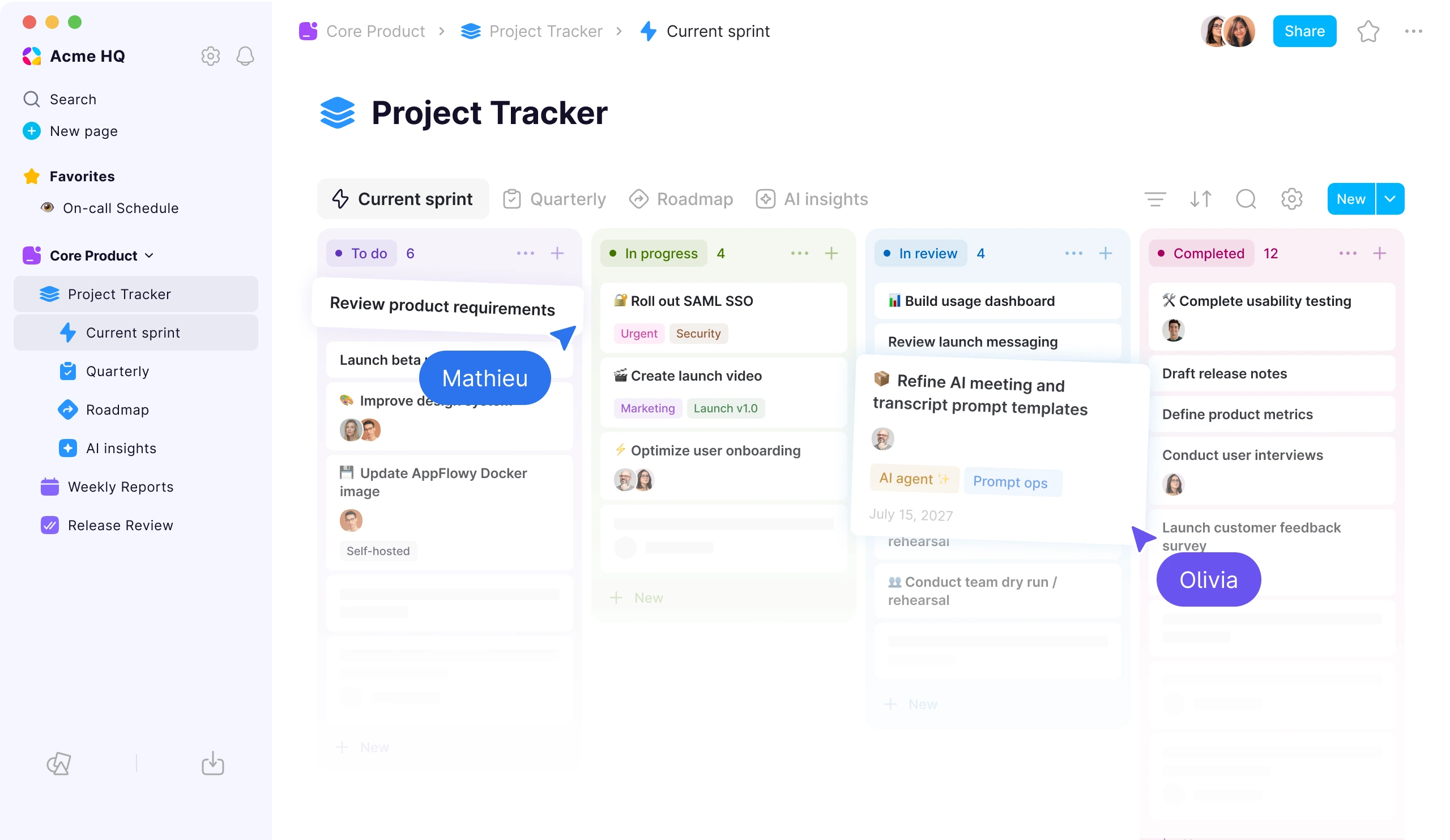
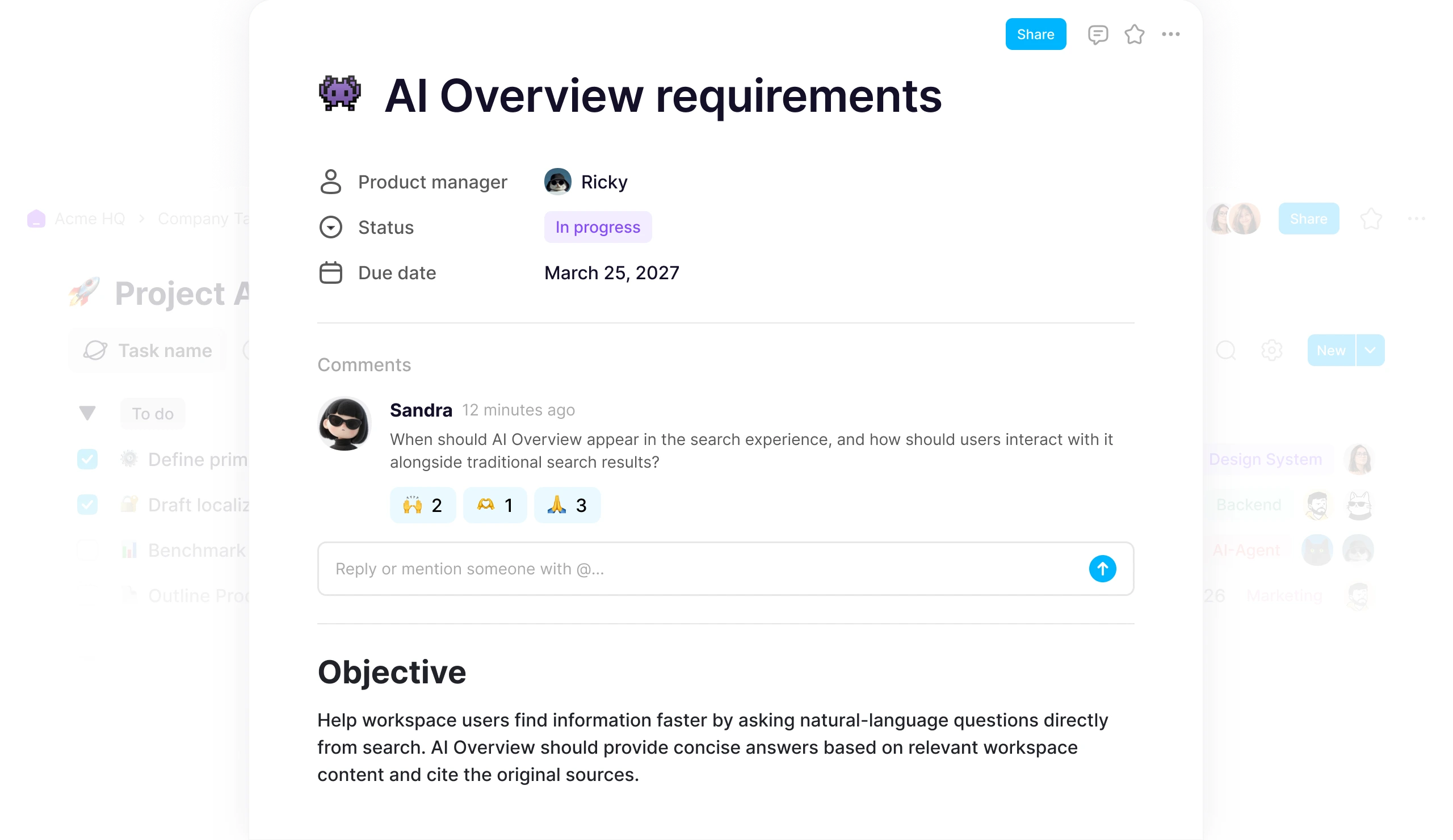
AppFlowy also supports hierarchical documents and team wikis, but a page can sit alongside or inside a relational database. Teams can use the same workspace for a product specification, roadmap, issue backlog, content calendar, customer pipeline, launch checklist, and public documentation. Database records are full pages, so structured properties and long-form context remain connected.
This leads to a practical decision rule:
- If almost everything your team manages is a document, Outline's tighter scope can be an advantage.
- If your team manages documents and structured workflows, AppFlowy can replace more of the surrounding tool stack.
Are AppFlowy and Outline open source?
The licensing comparison needs more nuance than a simple yes-or-no label.
AppFlowy's licensing model
AppFlowy's desktop client and AppFlowy Web are published as open-source projects. AppFlowy Web is distributed under AGPLv3.
For production self-hosting, AppFlowy provides a commercial self-hosted server distribution. It uses the same actively maintained commercial cloud codebase as AppFlowy's managed service and includes a free self-hosted tier, paid plans, Docker Compose deployment, and an official Helm chart. The production server distribution is governed by the AppFlowy Self-Hosted Commercial License.
In other words, AppFlowy's clients and web application are open source, while its current production-grade self-hosted backend follows a commercial open-core model.
Outline's licensing model
Outline's source code is available under Business Source License 1.1. The current license explicitly says it is not an Open Source license. Its additional use grant permits many internal production uses but restricts using the software to provide a competing commercial third-party document service. Each covered version later converts to the stated open-source change license under the schedule in the license.
Outline can still be self-hosted, inspected, and modified within its license terms. However, organizations with redistribution, managed-service, or product-embedding plans should review the exact license rather than relying on the phrase “source available.”
Licensing takeaway: both products provide source visibility and self-hosting, but neither product's complete production self-hosted stack should be described simply as “fully open source.” Review the relevant component licenses for your intended use. This comparison is not legal advice.
How do self-hosting and deployment compare?
Both products can run on infrastructure controlled by your organization, but their official deployment paths differ.
AppFlowy deployment
AppFlowy's production self-hosted distribution supports:
- Docker Compose
- an official Helm chart for Kubernetes
- private-cloud and on-premises environments
- fully air-gapped deployment
- self-hosted storage, authentication, backups, and AI services
- a centralized administration panel
The official Helm option is useful for platform teams that want a repeatable Kubernetes deployment without creating their own chart from scratch.
Outline deployment
Outline recommends Docker and publishes maintained container images. Its standard stack uses PostgreSQL and Redis, and its documentation includes a Docker Compose example with the required services. Outline can scale its API, worker, and web processes horizontally, with additional configuration for distributed collaboration processes.
Outline also notes that operating a production installation requires DevOps experience. The Community edition is available without paid support, while licensed Business and Enterprise editions add capabilities and support options.
What should infrastructure teams test?
Do not evaluate self-hosting only by whether
docker compose up succeeds. Test:- backup and restore procedures
- version upgrades and rollback
- object storage and file retention
- identity-provider failure modes
- search and AI indexing recovery
- monitoring and alerting
- high availability and disaster recovery
- outbound network requirements
- audit-log retention
- support response expectations
Deployment takeaway: both are credible self-hosted products. AppFlowy provides the clearer official Kubernetes and air-gapped path; Outline provides a well-documented Docker deployment for a focused knowledge base.
Which product is better for documents and team wikis?
For pure documentation, the comparison is close.
Both AppFlowy and Outline provide:
- block-based editing
- Markdown shortcuts and slash commands
- nested document hierarchies
- templates
- real-time collaborative editing
- comments and mentions
- revision history
- search
- public sharing
- permissions for private content
Outline's narrower focus gives it a cohesive wiki experience. Collections create a clear information architecture, document trees make navigation predictable, and integrations let teams embed external work directly in documentation. Outline also supports publishing Documents and Collections to the web, custom links, and optional custom domains for cloud-hosted published content.
AppFlowy is strong when documentation must connect to other workspace objects. A project brief can reference a database, a task can open as a full page, and teams can move between Grid, Kanban, Calendar, Timeline, and other views without separating the operational workflow from its supporting knowledge.
Documentation takeaway: choose Outline for a purpose-built wiki. Choose AppFlowy when the wiki needs to live inside a wider workspace for projects, databases, and AI-assisted operations.
Does Outline have databases like AppFlowy?
No—Outline does not currently provide a Notion-style relational database system comparable to AppFlowy's.
Licensed Outline editions do include data attributes, a preview feature that lets administrators define structured properties such as status or priority and attach values to Documents. That is useful metadata, and it should not be dismissed as having no structured data at all. However, Outline's documentation says filtering and cascading of these attributes are still planned.
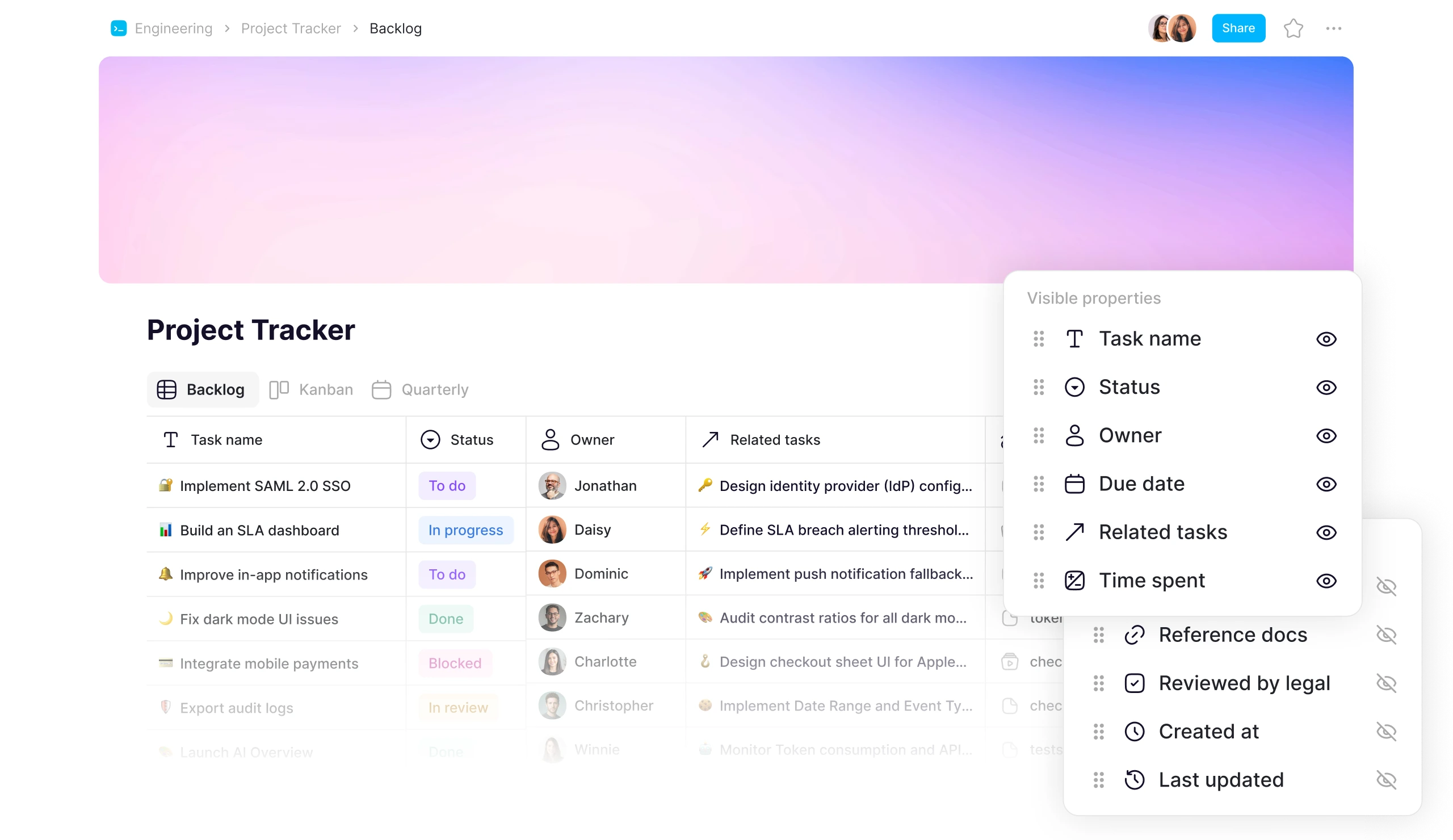
AppFlowy databases are designed as a core workspace primitive. They support:
- Grid, Kanban, Calendar, Gallery, List, Timeline, Feed, Chart, and Form views
- multiple linked views of the same data source
- relations and two-way relations
- rollups
- formulas and calculations
- filtering, sorting, grouping, and templates
- full-page records with rich document content
- forms for collecting data directly into a database
- charts and dashboards for visualizing database information
These capabilities cover use cases such as:
- product roadmaps and engineering backlogs
- CRM and partner pipelines
- editorial calendars
- applicant tracking
- customer-feedback repositories
- launch plans and dependency timelines
- inventories and asset registers
- forms and response analysis
Database takeaway: if your team needs a wiki with custom document metadata, Outline may be sufficient. If it needs relational data, multiple operational views, forms, formulas, or project tracking, AppFlowy is the stronger fit.
Do both AppFlowy and Outline support real-time collaboration?
Yes. Both AppFlowy and Outline support multi-user, real-time collaborative editing.
Both also support comments, mentions, document history, and permissions. Outline bundles a WebSocket-based collaboration service and documents scaling options for larger installations. AppFlowy's web, desktop, and mobile experiences connect to collaborative workspaces, while its offline-capable clients can continue to support work beyond a permanently connected browser session.
Access control is capable on both platforms, but the hierarchy differs:
- AppFlowy: workspace membership, Groups, Custom Spaces, space-level permissions, page-level permissions, and external guests with view, comment, or edit access.
- Outline: workspace roles, Groups, Collection-level permissions, individual user access, document sharing, and a limited guest role in supported editions.
Outline Collections can be private, can grant different levels of access to Groups or individual users, and can disable public sharing. Documents or document subtrees can also be shared directly with users and Groups.
AppFlowy's Custom Spaces create a similar organizational boundary for departments, projects, clients, or business units. Page-level exceptions and guest access can then be layered inside a restricted Space.
Collaboration takeaway: both cover the essentials well. Compare how each permission model maps to your actual organization, and confirm which controls are available in the edition you plan to deploy.
Which has stronger identity and administration features?
AppFlowy documents support for:
- SAML SSO
- OIDC SSO
- SCIM provisioning and deprovisioning
- LDAP authentication
- centralized administration
- Groups and granular Space permissions
- guest-invite approval
- security audit logs
Outline supports OIDC-compatible authentication providers, along with documented providers such as Google, Microsoft, and Slack. SAML is available in licensed Business and Enterprise editions. Its administration model includes workspace roles, Groups, user suspension, Collection permissions, document permissions, and a security audit log in its Enterprise offering.
For many teams, either product can connect to an existing identity provider. AppFlowy covers a broader documented enterprise identity stack when automated user lifecycle management through SCIM or an LDAP directory is a firm requirement.
How do AppFlowy and Outline compare for AI?
Both products can answer questions using workspace knowledge, but AppFlowy includes more native AI workflows and more deployment choices for AI infrastructure.
Outline AI
Outline AI Answers semantically indexes workspace documents and generates direct answers to natural-language questions. Answers respect the current user's document permissions and show references to the source documents. The feature is available in Outline Cloud and licensed self-hosted editions.
For self-hosting, Outline documents connections to OpenAI or Azure AI Foundry, with PostgreSQL and pgvector storing the semantic index. Outline also includes a built-in MCP server, allowing compatible external AI clients to search, read, create, edit, and comment on knowledge-base content within the connected user's permissions.
AppFlowy AI
AppFlowy combines knowledge retrieval with additional first-party workflows:
- AI search grounded in workspace sources
- document writing, rewriting, and summarization
- AI chat across workspace context
- AI meeting notes with transcription and summaries
- audio and video transcripts
- database assistance and autofill workflows
- local AI integrations
- self-hosted LLM and embedding models for on-premises deployments
AppFlowy's local and on-premises options are especially relevant when prompts, embeddings, transcripts, and generated responses must remain inside a controlled environment. AppFlowy also supports MCP and public APIs for connecting the workspace to a broader toolchain.
AI takeaway: Outline offers useful, permissions-aware AI answers and an increasingly capable MCP interface. AppFlowy is the stronger fit when teams want native meeting, transcript, writing, database, and search workflows or need local and self-hosted AI models.
Which platform has better integrations?
Outline currently has the broader built-in integration and embed catalog.
Outline supports interactive embeds for services including Figma, Framer, YouTube, Vimeo, Airtable, Miro, Typeform, Google Workspace, GitHub, and Linear. It also offers Slack workflows, Zapier, webhooks, a fully featured API, OAuth applications, and MCP.
AppFlowy supports integrations such as Google Drive, Google Calendar, YouTube, and Zapier, together with MCP and public APIs. This covers common workflows, but teams that rely on a long list of rich embeds may find Outline's built-in catalog more mature.
Integration takeaway: Outline has the advantage for breadth of embeds and documentation-centric integrations. AppFlowy's advantage is reducing the need for separate database and project-management integrations by including those workflows natively.
Which has better desktop and mobile apps?
AppFlowy has broader native platform coverage.
AppFlowy provides applications for:
- Windows
- macOS
- Linux
- iOS
- Android
- the web
Outline provides Windows and macOS desktop applications in addition to its web app. Its 2026 desktop updates added an installation switcher that supports moving between cloud and on-premises Outline installations.
Outline does not currently document native iOS or Android applications. Instead, its responsive web app can be installed on a mobile home screen as a Progressive Web App (PWA).
This corrects an outdated claim that Outline has no desktop apps at all. It does. The meaningful difference is that AppFlowy also covers Linux and provides native mobile apps.
How do publishing and data portability compare?
Both products support public knowledge sharing and data export.
Outline can publish individual Documents or entire Collections, preserve nested content, configure custom paths, control whether public sharing is permitted, and use a custom domain in supported cloud configurations. It exports Documents, Collections, or a Workspace in formats including Markdown, HTML, and JSON, and its API provides programmatic access to workspace data.
AppFlowy supports publishing pages to the web, custom AppFlowy namespaces, and PDF export. Its workspace also supports Markdown- and structured-data-oriented workflows, while its clients and self-hosted deployment give organizations control over their storage and backup environment.
For migrations, do not assume that export and import preserve every source-system feature. Test nested pages, links, permissions, database properties, comments, authorship, attachments, and unsupported blocks with a representative sample before moving a production workspace.
Should you choose AppFlowy or Outline?
Choose Outline if:
- your primary need is a focused company wiki or internal knowledge base
- documents, policies, guides, and nested knowledge are the main content types
- you value a broad catalog of embeds and documentation integrations
- Collection-based permissions match your information architecture
- publishing polished documentation is central to the use case
- Docker is an appropriate deployment path
- you do not need Notion-style relational databases or native mobile apps
Choose AppFlowy if:
- you want documents, wikis, relational databases, projects, and forms in one workspace
- teams need Grid, Kanban, Calendar, Timeline, Gallery, Chart, or other views over shared data
- SAML, OIDC, SCIM, LDAP, Groups, and granular Space permissions are important
- native Windows, macOS, Linux, iOS, and Android apps matter
- you need AI meeting notes, transcripts, writing assistance, database AI, and workspace search
- AI must be able to run locally or with self-hosted models
- your infrastructure team prefers an official Helm chart or an air-gapped deployment path
Final verdict
Outline is a strong self-hosted knowledge base for teams that want a focused place to write, organize, search, and publish documentation. Its real-time editor, Collection permissions, rich embeds, API, MCP support, and AI Answers make it much more than a basic wiki.
AppFlowy is the better choice when knowledge management is only one part of the requirement. It brings documentation together with relational databases, project views, forms, charts, native mobile and desktop apps, richer native AI workflows, and local or on-premises AI options.
The simplest way to decide is to ask what must live next to the wiki. If the answer is mostly more documents, choose Outline. If the answer includes roadmaps, backlogs, relational records, forms, timelines, dashboards, meeting transcripts, and governed AI, AppFlowy is more likely to consolidate the full workflow.
Explore the full AppFlowy vs Outline comparison, compare the best self-hosted Notion alternatives in 2026, or to discuss your deployment and migration requirements.
Frequently asked questions
Is AppFlowy better than Outline?
AppFlowy is better for teams that need a broad Notion-style workspace with documents, relational databases, project views, native mobile apps, and local or on-premises AI. Outline may be better when the requirement is specifically a focused, integration-rich team wiki.
Is Outline a good self-hosted Notion alternative?
Outline is a good self-hosted Notion alternative for documentation and knowledge-base use cases. It is less complete as a full Notion replacement because it does not provide a comparable relational database system or the same range of project views.
Can AppFlowy and Outline both be self-hosted?
Yes. AppFlowy supports Docker Compose and an official Helm chart, including on-premises and air-gapped scenarios. Outline recommends Docker and documents a production stack using PostgreSQL and Redis.
Do AppFlowy and Outline support real-time collaboration?
Yes. Both support multi-user real-time document editing, comments, mentions, history, and granular permissions. AppFlowy also provides native mobile and desktop clients, while Outline provides Windows and macOS desktop apps plus a mobile PWA.
Does Outline support databases?
Outline supports structured data attributes for Documents in licensed editions, but it does not offer a Notion-style relational database system comparable to AppFlowy's multiple views, relations, rollups, formulas, forms, and charts.
Do AppFlowy and Outline both support AI search?
Yes. Both can generate answers from workspace knowledge. Outline's AI Answers are permissions-aware and cite source documents. AppFlowy adds AI writing, chat, meeting notes, transcripts, database workflows, and local or self-hosted AI options.
Does Outline have native desktop and mobile apps?
Outline has Windows and macOS desktop apps. It does not currently document native iOS or Android apps; its responsive web application can be installed as a PWA. AppFlowy supports Windows, macOS, Linux, iOS, Android, and web.
Which has better integrations, AppFlowy or Outline?
Outline has a broader catalog of rich embeds and built-in documentation integrations. AppFlowy supports common integrations, MCP, and public APIs, while also including databases and project-management views that would otherwise require separate tools.
Is Outline fully open source?
No. Outline's current source is distributed under Business Source License 1.1, which states that it is not an Open Source license and includes commercial-use restrictions. Covered versions later convert to the specified open-source license according to the license schedule.
Which product is better for local or on-premises AI?
AppFlowy provides the more direct local and on-premises AI path through local integrations plus self-hosted LLM and embedding support. Outline self-hosted AI Answers can connect to OpenAI or Azure AI Foundry and store semantic indexes in infrastructure controlled by the organization.
Official sources reviewed
- AppFlowy official website
- AppFlowy product updates
- AppFlowy Web repository and license
- AppFlowy production self-hosted repository, license, and deployment files
- AppFlowy desktop and mobile downloads
- Outline official website
- Outline source license
- Outline self-hosting documentation
- Outline pricing and edition comparison
- Outline Collections and permissions
- Outline users, roles, and guests
- Outline Search and AI Answers
- Outline MCP server
- Outline integrations and embeds
- Outline desktop and mobile product updates