ClickUp built its reputation as an “everything app” for work. Tasks, Docs, goals, dashboards, chat, whiteboards, time tracking, and automation all live under one roof. For many teams, that breadth is exactly the appeal.
It can also create friction. A workspace may become difficult to navigate as teams add Spaces, Folders, Lists, custom fields, views, dashboards, and automations. Other organizations simply need a different foundation: relational business data, formal project controls, client billing, knowledge management, or a focused agile workflow.
The short answer: AppFlowy is the best ClickUp alternative for teams that want a modern, flexible workspace for projects, documents, relational databases, and Timeline planning. Airtable is the strongest data-first SaaS option for custom apps and automation, while Notion is a polished knowledge-first workspace with capable but lighter project management. Asana stands out for structured project management, Monday.com for customizable workflow management, Wrike for controlled enterprise execution, and Jira for software delivery.
AppFlowy publishes this guide and is one of the products evaluated. We reviewed official product pages, documentation, deployment guides, plan details, and feature guides available on September 29, 2026. Interface and adoption assessments are editorial judgments rather than user-research scores. Features and packaging change, so validate business-critical requirements with a realistic pilot.
Why look for a ClickUp alternative?
ClickUp remains a capable work platform. Teams usually begin looking elsewhere because their priorities have changed, not because one competitor is universally better.
1. The workspace becomes difficult to standardize
ClickUp can be configured at nearly every level. That flexibility is useful early, but independent teams can create incompatible statuses, fields, structures, and automation rules. Onboarding and reporting become harder when “project,” “priority,” or “done” means something different in every Space.
2. A task hierarchy is not enough
Tasks and subtasks are a natural model for delivery. They are less natural for connected business data such as products and launches, campaigns and assets, customers and accounts, or candidates and roles. AppFlowy and Airtable approach this problem with relational databases instead of treating every object as a task.
3. The interface creates unnecessary adoption friction
Feature depth is irrelevant when people avoid the product. A modern interface, fast navigation, good defaults, and progressive disclosure can lower the entry barrier for new employees. This may be particularly important for early-career and digitally native team members who expect workplace tools to behave more like polished consumer software. Do not assume preferences from age alone, however. Test discoverability, accessibility, mobile use, keyboard workflows, and time-to-first-success with the people who will actually use the system.
4. Teams want a more focused experience
Some organizations do not need an everything app. A software team may prefer Jira's backlog and sprint depth. An agency may care more about Teamwork's budgets and billable time. A small team may move faster with Trello or Basecamp because there is less to configure.
5. Reporting and resource needs have matured
Project-management offices often need capacity planning, baselines, critical paths, portfolio dashboards, budget tracking, or profitability reporting. Smartsheet, Wrike, Teamwork, and Microsoft Planner Premium each emphasize different parts of that layer.
6. Deployment flexibility and data control matter
ClickUp says its service is hosted entirely on AWS. Regional data residency can satisfy many organizations, but it does not provide customer-operated deployment. If data ownership, infrastructure policy, private AI, or long-term access is driving the search, use our separate guide to the best self-hosted ClickUp alternatives.
The best ClickUp alternatives compared
| Alternative | Operating model | Interface and initial adoption | Adaptable to future work? | Best for |
|---|---|---|---|---|
| AppFlowy | Flexible pages and relational data | Modern; low for docs, medium for custom databases | Yes | Projects, knowledge, private AI, data control |
| Airtable | Relational data and business apps | Modern; medium setup effort | Yes | Data-rich operations and automation |
| Asana | Structured tasks, projects, goals | Modern; low-to-medium | No | Cross-functional execution |
| Monday.com | Configurable boards and workflows | Modern and visual; low-to-medium | Yes | Business workflows and dashboards |
| Smartsheet | Sheets and formal project controls | Spreadsheet-like; medium | No | PMOs and operations |
| Wrike | Enterprise work and resources | Modern but dense; medium-to-high | No | Requests, approvals, capacity, reporting |
| Notion | Flexible pages and databases | Modern; low to start, medium to govern | Yes | Knowledge-rich, lightweight projects |
| Trello | Boards, lists, and cards | Simple and visual; low | No | Lightweight Kanban |
| Jira | Issues, projects, and sprints | Powerful but dense; medium-to-high | No | Software and service delivery |
| Basecamp | Fixed project communication hubs | Modern and opinionated; low | No | Simple team and client coordination |
| Zoho Projects | Tasks and conventional project plans | Conventional; medium | No | Value within the Zoho ecosystem |
| Teamwork | Projects and client-service controls | Modern and specialized; medium | No | Agencies and billable client work |
| Microsoft Planner | Tasks and plans in Microsoft 365 | Familiar to Microsoft users; low-to-medium | No | Microsoft-centric organizations |
“Adaptable to future work” is an editorial assessment of the underlying model, not a count of current AI features. Yes means teams can model projects, goals, people, agents, runs, decisions, and artifacts as distinct but connected objects without forcing each one into a task, project, sprint, or work-item template. No means cards, tasks, issues, projects, sprints, work packages, or fixed project hubs remain the primary coordination structure, even if the product can invoke AI or agents.
Need customer-operated deployment? Compare AppFlowy, Plane, OpenProject, Taiga, and Vikunja in Best Self-Hosted ClickUp Alternatives.
The best ClickUp alternatives in review
1. AppFlowy: best for projects, knowledge, and data control
AppFlowy combines documents, wikis, and relational databases in one workspace. Every database record is also a full page, so a project can contain structured fields such as owner, status, priority, dates, relations, rollups, and formulas alongside its brief, research, meeting notes, files, decisions, and comments.
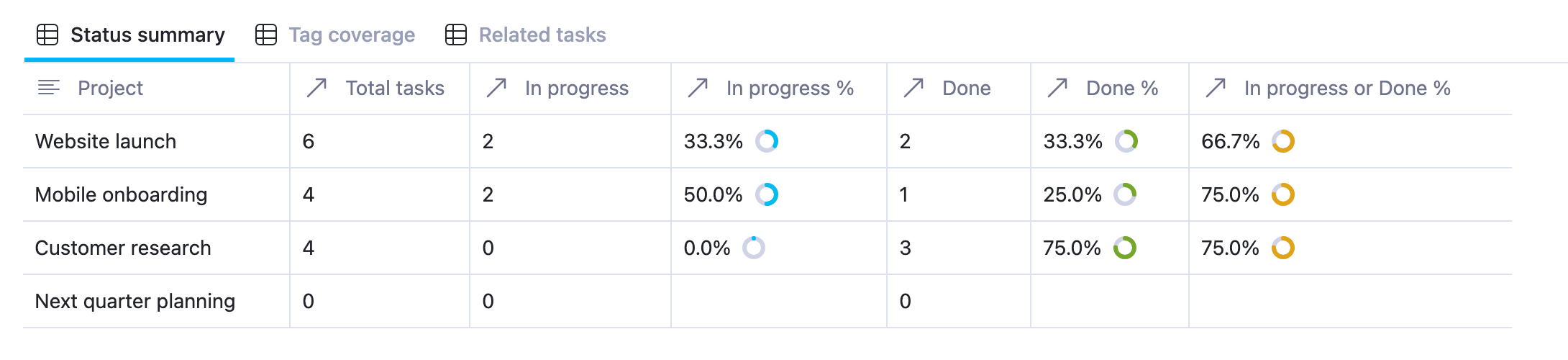
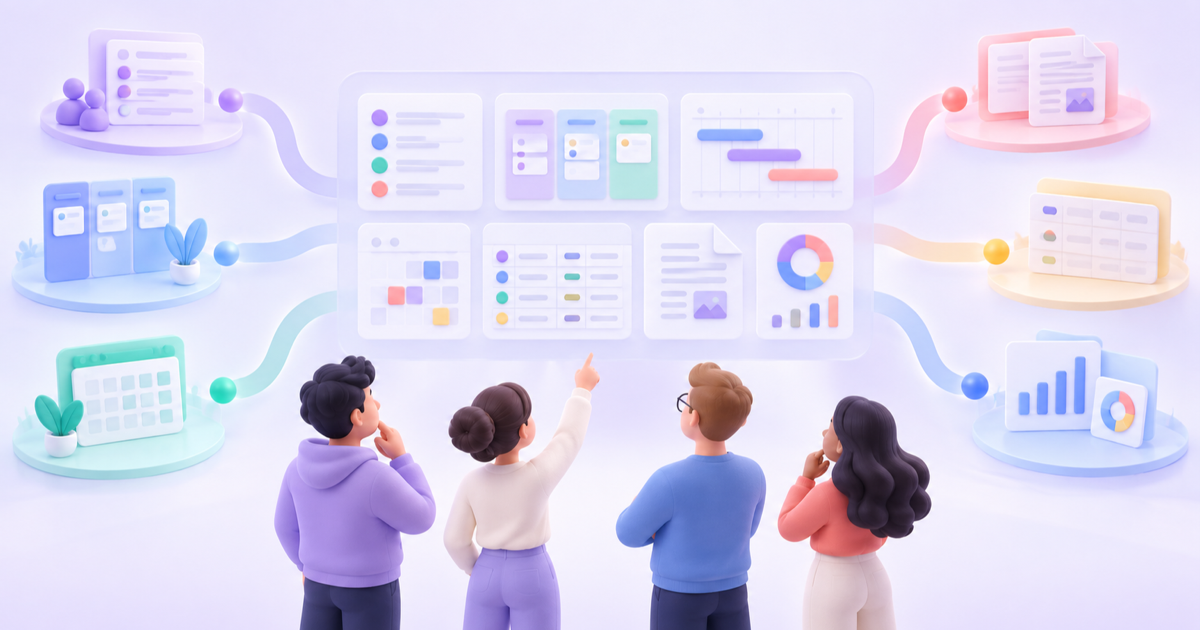
The same data can appear as Grid, Kanban, Calendar, Timeline, Gallery, List, Feed, Chart, or Form views. Connected records and linked views avoid duplication because every role works from the same underlying data source. Update a record in one view and the change stays synchronized everywhere that data appears.
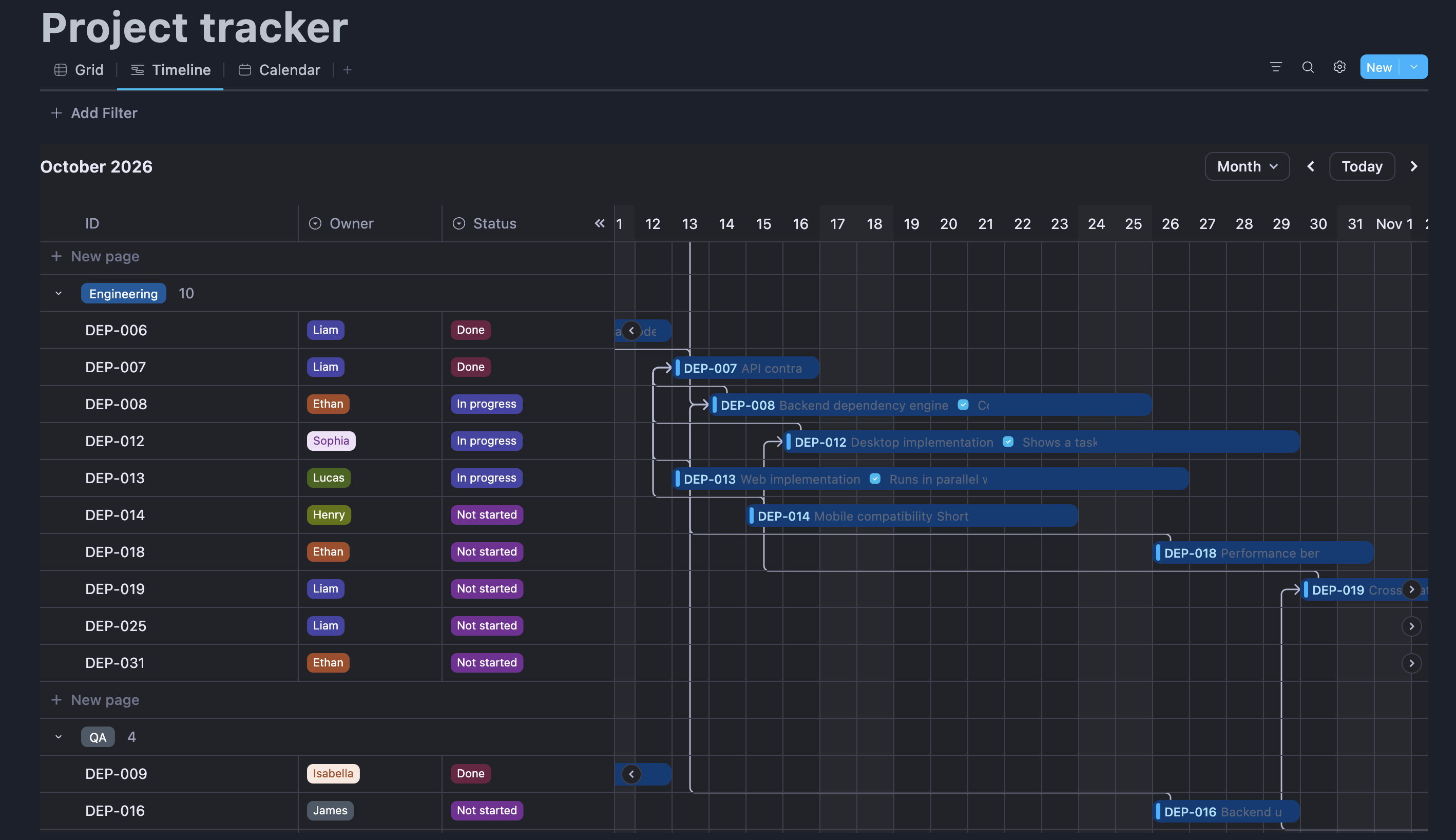
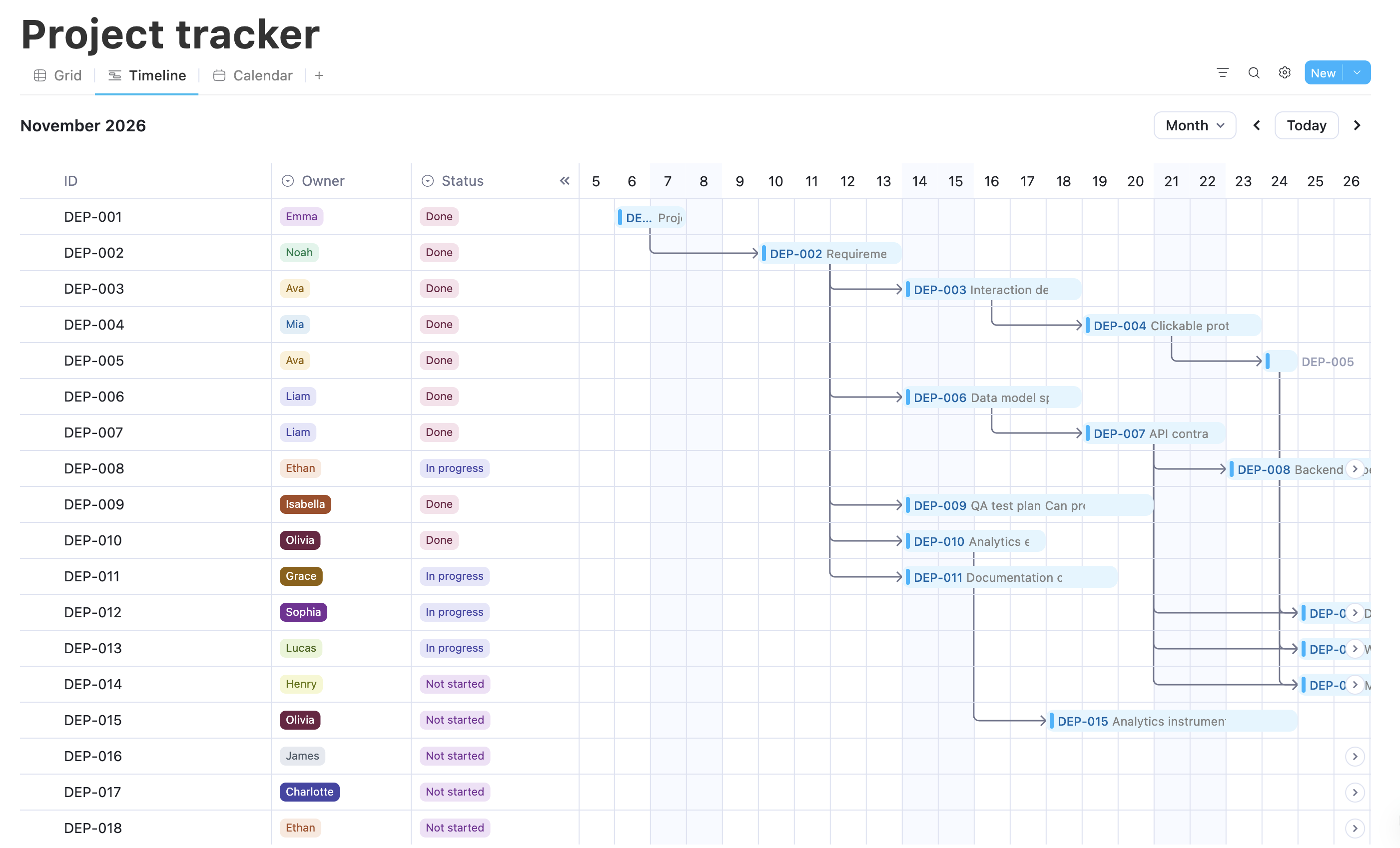
Timeline view gives delivery teams a date-based planning surface with dependency lines. Switch to Grid for bulk editing, Kanban for workflow stages, or Calendar for deadlines while keeping the same records underneath.
This is a different foundation from a fixed task or work-item system. Teams can model projects, goals, customers, campaigns, assets, agent runs, decisions, and deliverables as separate but connected records. A new team can begin with a simple document or board, then add relations, rollups, forms, charts, and role-specific views as the workflow matures without migrating into a different product model.
Key features:
- relational databases with relations, rollups, formulas, and templates
- nine database views, including Timeline, Chart, and Form
- rich documents and full-page database records
- real-time editing, comments, mentions, version history, spaces, groups, and guests
- Windows, macOS, Linux, iOS, Android, and web access
- managed, local, and self-hosted AI options depending on deployment and plan
- cloud, local-first native use, and supported self-hosted deployment paths
Best fit: Cross-functional teams that want project execution and knowledge in one flexible workspace, especially when self-hosting, private AI, enterprise-grade administration, and a modern, easy-to-use interface matter.
Watch for: AppFlowy has fewer prebuilt automations and native integrations than ClickUp or Airtable. It does not currently include a native whiteboard, and specialist time, resource, and cost management are less extensive than in dedicated project-control products. AppFlowy's primary client is AGPL-3.0, while its supported production self-hosted server distribution uses commercial license terms.
2. Airtable: best for relational data and custom apps
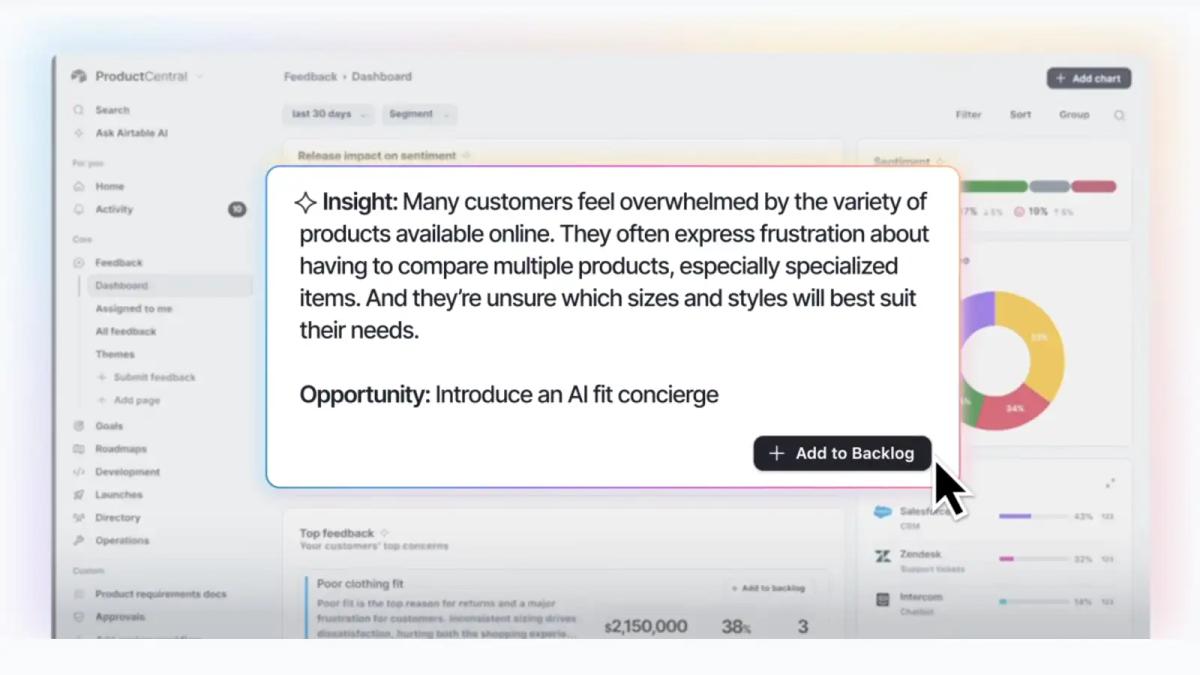
Airtable is a proprietary cloud platform that combines relational data, custom Interfaces, automation, reporting, app building, and AI-assisted workflows. It is a strong alternative when a team has outgrown a task-first model and needs to represent the actual relationships in its operations.
A product organization can connect products, launches, features, customers, research, and assets across tables. Marketing can connect campaigns, channels, deliverables, budgets, and results. Interfaces then present the right data and actions to each role, while automations and agents update records or work across connected tools.
Key features:
- linked tables, lookups, rollups, formulas, and multiple views
- role-specific Interfaces and no-code application building
- forms, reporting, dashboards, and external portals
- native automations, scripts, integrations, and AI agents
- enterprise permissions, governance, and auditability on eligible plans
Best fit: Operations, product, marketing, and enterprise teams building data-driven workflows and internal applications.
Watch for: Airtable is not open source and cannot be self-hosted. Its free plan has capacity and feature limits, while paid plans use per-seat pricing. Long-form documents and knowledge are less central than in AppFlowy or Notion.
3. Asana: best for cross-functional goals and execution
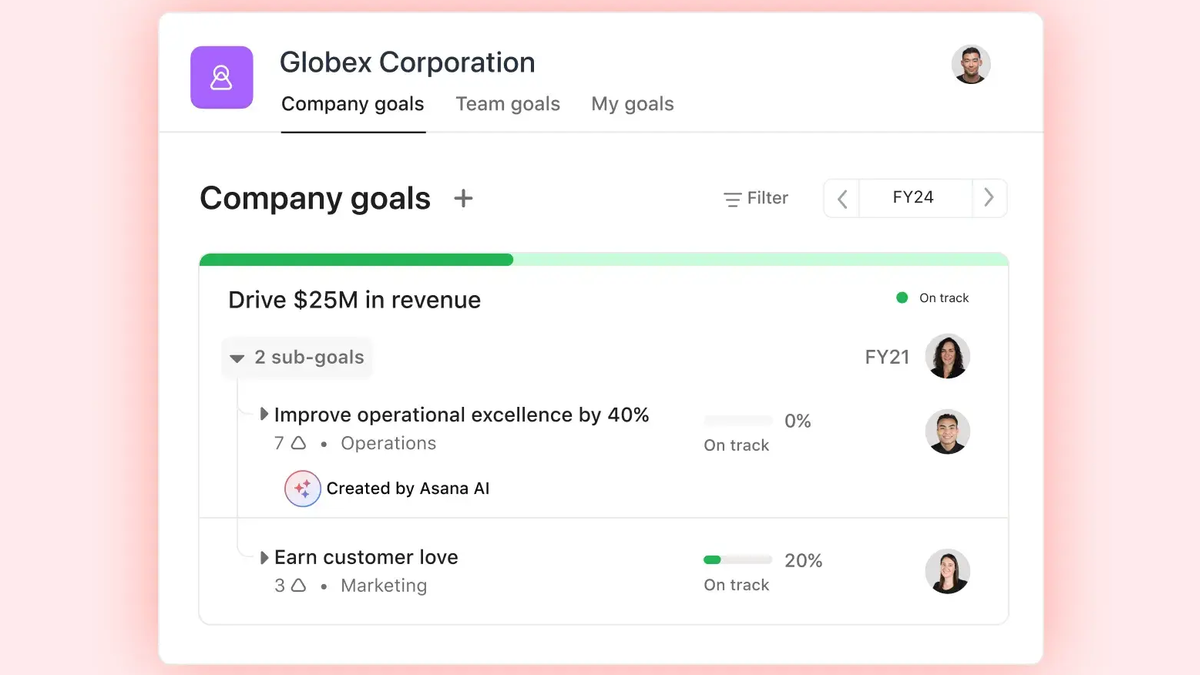
Asana organizes work around tasks, projects, portfolios, and goals. Its opinionated structure is easier to standardize than a highly configurable ClickUp workspace, while List, Board, Timeline, Calendar, workload, reporting, rules, and forms cover most cross-functional delivery needs.
Goals and portfolios are a particular strength. Leaders can connect company objectives to projects, monitor progress across initiatives, and use AI-assisted summaries and status updates to surface risks.
Key features:
- tasks, subtasks, dependencies, milestones, and custom fields
- List, Board, Timeline, Calendar, and workload views
- goals, portfolios, dashboards, forms, rules, and templates
- AI-assisted project setup, summaries, status updates, and workflows
Best fit: Marketing, operations, product, and leadership teams that want clear responsibility and alignment from goals to tasks.
Watch for: Advanced goals, portfolio, workload, and governance capabilities depend on plan. Asana is less suitable than Airtable or AppFlowy for arbitrary relational business systems.
4. Monday.com: best for visual work management
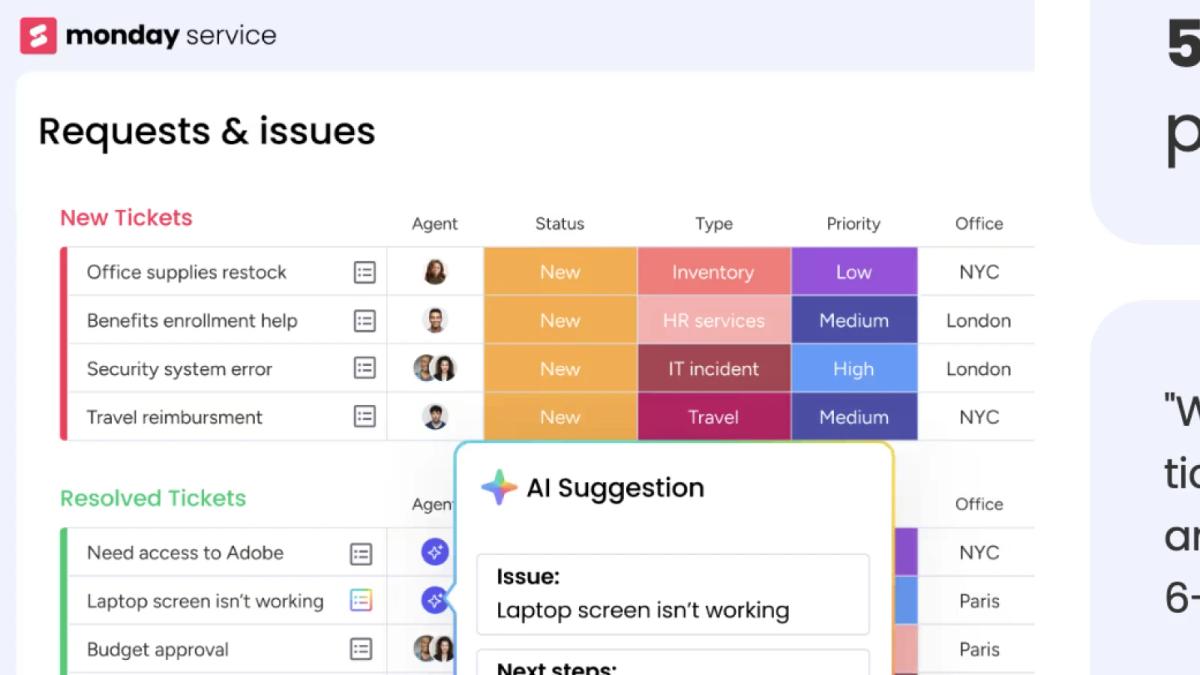
Monday.com is a Work OS centered on configurable boards, columns, views, dashboards, forms, integrations, and automation. Its bright, visual interface is approachable for business teams that want to build workflows without adopting a formal project-management methodology.
Boards can support project tracking, CRM, content operations, requests, and many other processes. Dashboards aggregate data across boards, while WorkForms and automations move submissions into repeatable workflows.
Key features:
- configurable boards, columns, groups, and connected data
- Kanban, Calendar, Timeline, Gantt, workload, chart, and other views
- dashboards, WorkForms, automations, integrations, and templates
- AI-powered columns, workflow steps, and assistants depending on plan
Best fit: Business teams that prioritize visual status tracking and configurable processes.
Watch for: Independent boards and columns can become difficult to standardize at scale. Monday.com is proprietary and fully cloud-based rather than customer-hosted.
5. Smartsheet: best for spreadsheet-style project controls
Smartsheet combines a familiar grid with project and portfolio capabilities. Teams can work in Grid, Table, Card, Calendar, Timeline, or Gantt views, add formulas and dependencies, collect requests through forms, automate workflows, and report through dashboards.
Baselines, critical path, portfolio reporting, resource management, and Control Center make Smartsheet especially relevant to PMOs and operations teams moving beyond ordinary spreadsheets.
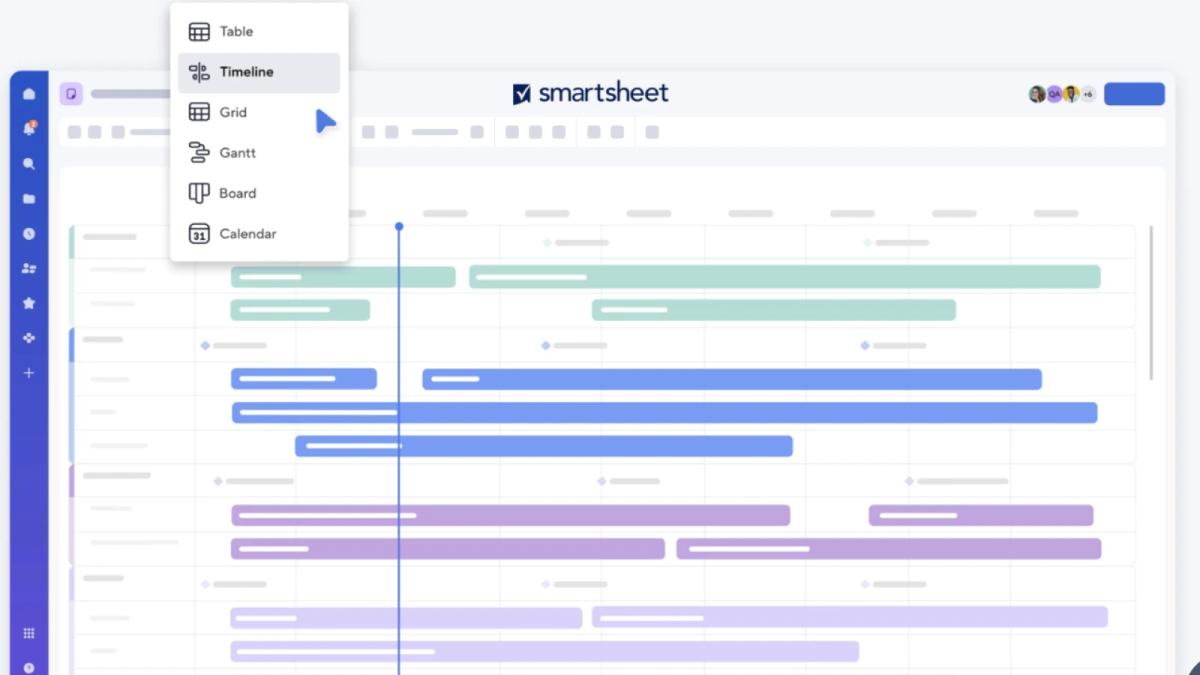
Key features:
- Grid, Table, Card, Calendar, Timeline, and Gantt views
- dependencies, baselines, milestones, critical path, and formulas
- forms, reports, dashboards, workflows, and automation
- portfolio and resource-management options for larger organizations
Best fit: PMOs, construction, operations, and teams already comfortable managing structured work in spreadsheets.
Watch for: Its sheet-based experience can feel rigid for document-heavy, creative, or conversational workflows. Premium portfolio and resource tools add packaging complexity.
6. Wrike: best for enterprise resources and approvals
Wrike becomes noticeably stronger when an organization needs extensive process control across departments. It explicitly emphasizes request intake, proofing, internal and external approvals, automation, dashboards, and complex execution workflows, while Gantt, Board, Table, Calendar, and workload views support planning.
Resource bookings, effort management, time tracking, and analytics add a deeper operational layer than a basic task system. Wrike's higher-end Pinnacle plan extends that layer with advanced capacity planning, budgeting, and business intelligence reporting for leaders managing large portfolios.
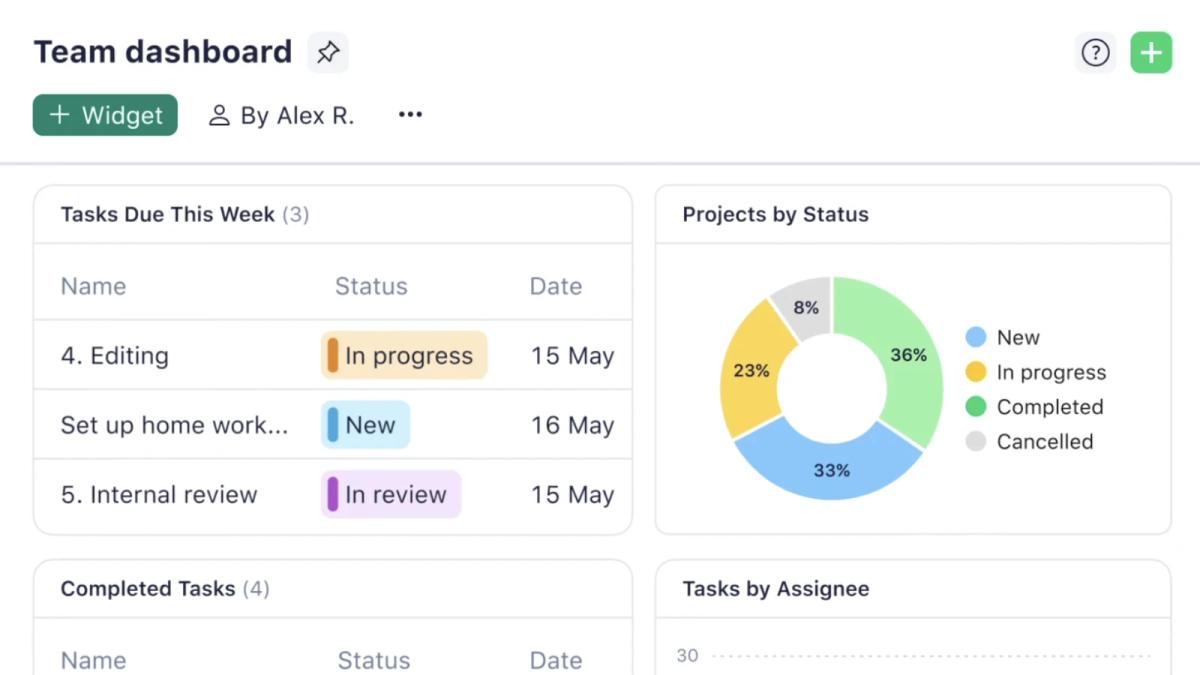
Key features:
- projects, tasks, custom item types, blueprints, and cross-tagging
- Gantt, Board, Table, Calendar, workload, and resource views
- request forms, proofing, internal and external approvals, and automation
- dashboards, time tracking, resource bookings, and AI assistance
- advanced capacity planning, budgeting, and business intelligence reporting on Pinnacle
Best fit: Enterprise marketing, creative operations, professional services, and PMO teams that need tightly controlled, repeatable processes across high volumes of work.
Watch for: Wrike's breadth comes with setup and governance work. Advanced capacity, budgeting, and business intelligence capabilities require the higher-end Pinnacle plan.
7. Notion: best knowledge-first ClickUp alternative
Notion combines documents, wikis, databases, projects, forms, charts, automation, and AI in a connected workspace. It now offers credible project features, including tasks, dependencies, timelines, forms, charts, automations, sprints, and “My tasks.” Its strongest differentiation remains the knowledge layer: every database record is a page, making it natural to keep a task or project brief with its structured properties.
Teams can view project databases as tables, lists, boards, calendars, galleries, timelines, or charts. Docs, teamspaces, enterprise search, meeting notes, and wikis make Notion stronger than task-only products for knowledge-rich work.
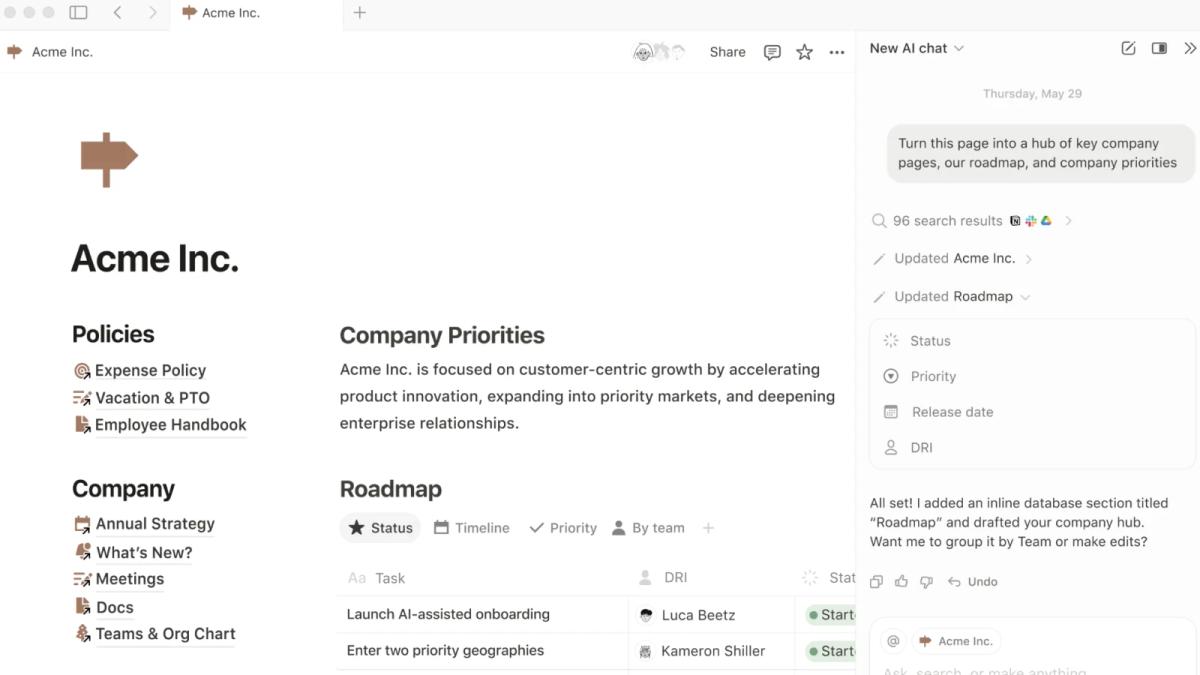
Key features:
- block-based docs, wikis, and full-page database records
- table, list, board, calendar, gallery, timeline, and chart views
- forms, database automations, dependencies, dashboards, and templates
- AI writing, search, meeting notes, agents, and connected-app search
Best fit: Startups and knowledge teams that want documents and lightweight projects in one SaaS workspace.
Watch for: Notion has lighter native time, resource, budget, and cost controls than specialist project platforms. It is proprietary cloud software rather than self-hosted.
Is AppFlowy or Notion better for project management?
Both products let a team build projects from flexible pages and databases rather than forcing everything into a fixed task hierarchy. Choose Notion when a mature SaaS knowledge ecosystem, a large template market, and connected cloud services matter most. Choose AppFlowy when self-hosting, private AI, data ownership, and white-label deployment are central requirements. Notion is a capable ClickUp replacement for knowledge-rich projects, but AppFlowy's deployment choices make it the stronger option when the search for a ClickUp alternative is also driven by data ownership or vendor lock-in.
8. Trello: best for simple Kanban boards
Trello remains one of the quickest ways to turn a process into a shared board. Cards move across lists, while labels, members, dates, checklists, attachments, and comments add enough detail for lightweight team workflows.
Beyond the classic board, paid plans add views such as Timeline, Table, Calendar, Dashboard, and Map. Butler automation and Power-Ups extend boards without turning Trello into a full project-control suite.
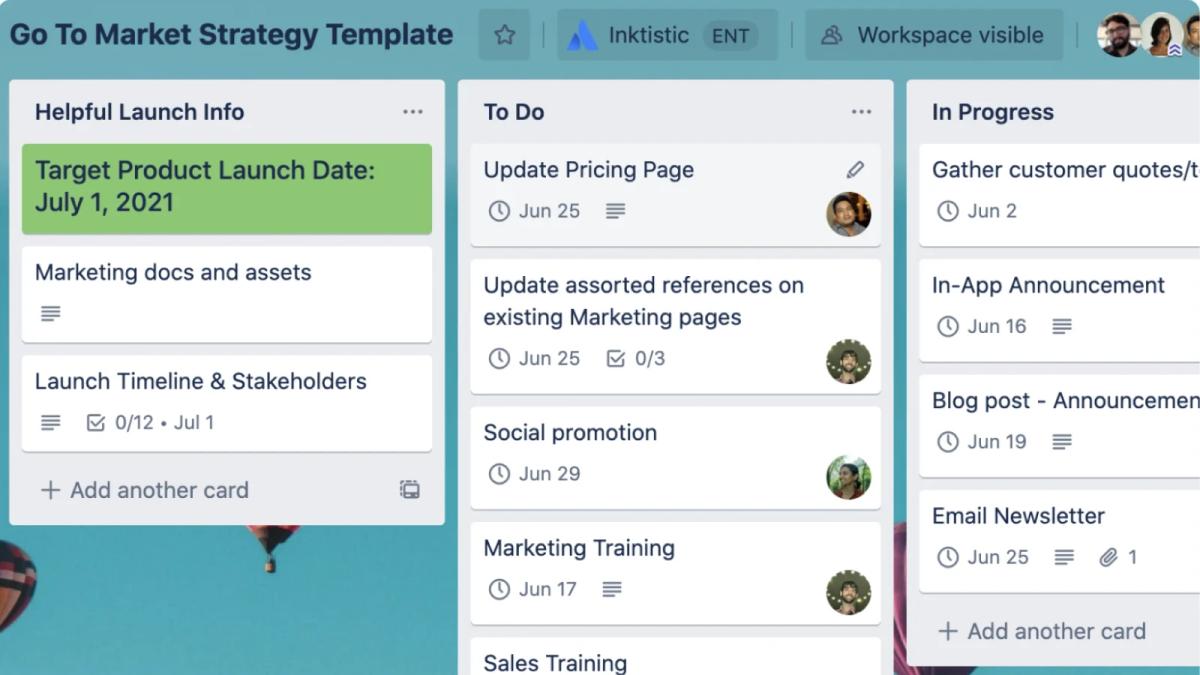
Key features:
- intuitive boards, lists, and cards
- labels, checklists, dates, members, attachments, and templates
- Butler automation and a large Power-Up ecosystem
- Timeline, Table, Calendar, Dashboard, and other views by plan
Best fit: Small teams, simple content pipelines, personal planning, and processes that are naturally Kanban-shaped.
Watch for: Reporting, dependencies, resource management, and multi-project governance are limited compared with ClickUp, Wrike, or Smartsheet. Trello's card-first model is also less natural for document-heavy workflows, wikis, meeting notes, and knowledge bases, so teams may need a separate documentation tool.
9. Jira: best for software delivery
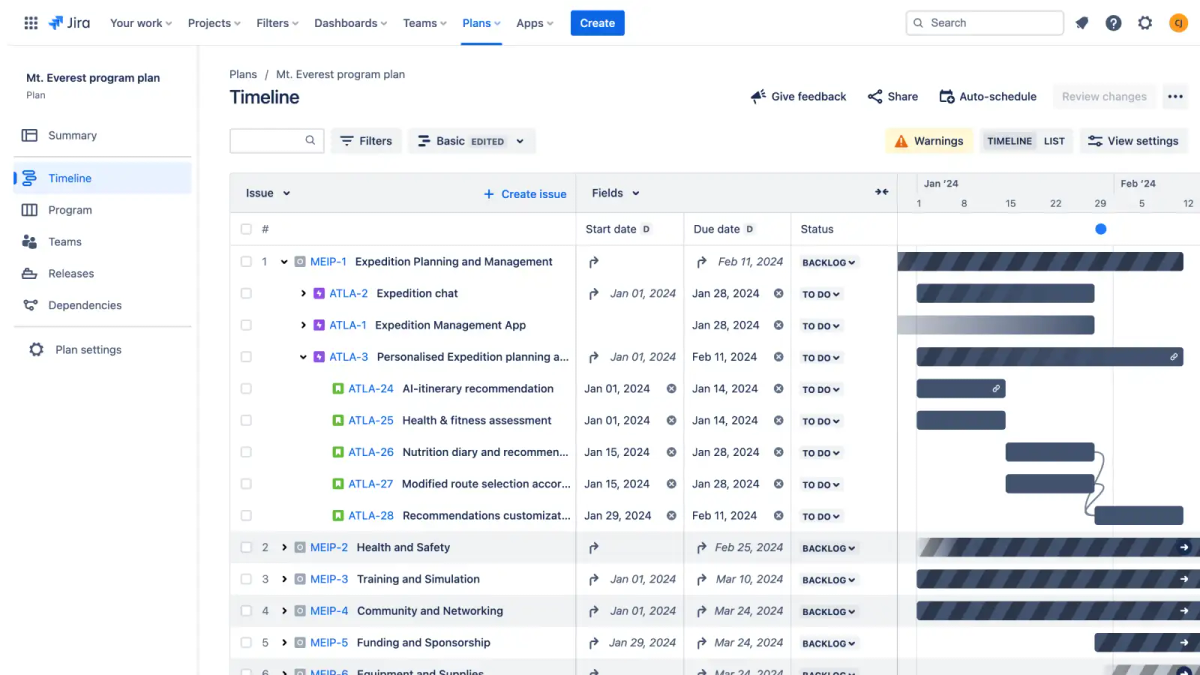
Jira is purpose-built for issue tracking and agile delivery. Scrum teams get backlogs, sprints, boards, estimation, burndown, velocity, and release reporting. Kanban teams get configurable workflows, work-in-progress limits, control charts, and cumulative-flow analysis.
Jira's workflows, query language, permissions, dashboards, Marketplace, and development-tool integrations provide depth that general work-management products rarely match.
Key features:
- Scrum and Kanban boards, backlogs, sprints, and releases
- customizable work types, fields, workflows, and automation
- roadmaps, dependencies, dashboards, search, and agile reports
- close integration with Confluence, Bitbucket, GitHub, and development tools
Best fit: Software, IT, product, and service teams that need mature issue and release management.
Watch for: Jira can be demanding for non-technical users and administrators. Documentation and general business collaboration often require Confluence or other companion tools. Jira Data Center is still self-managed, but Atlassian has announced its end of life for March 28, 2029, so it is not a durable new self-hosting strategy.
10. Basecamp: best for simple team and client communication
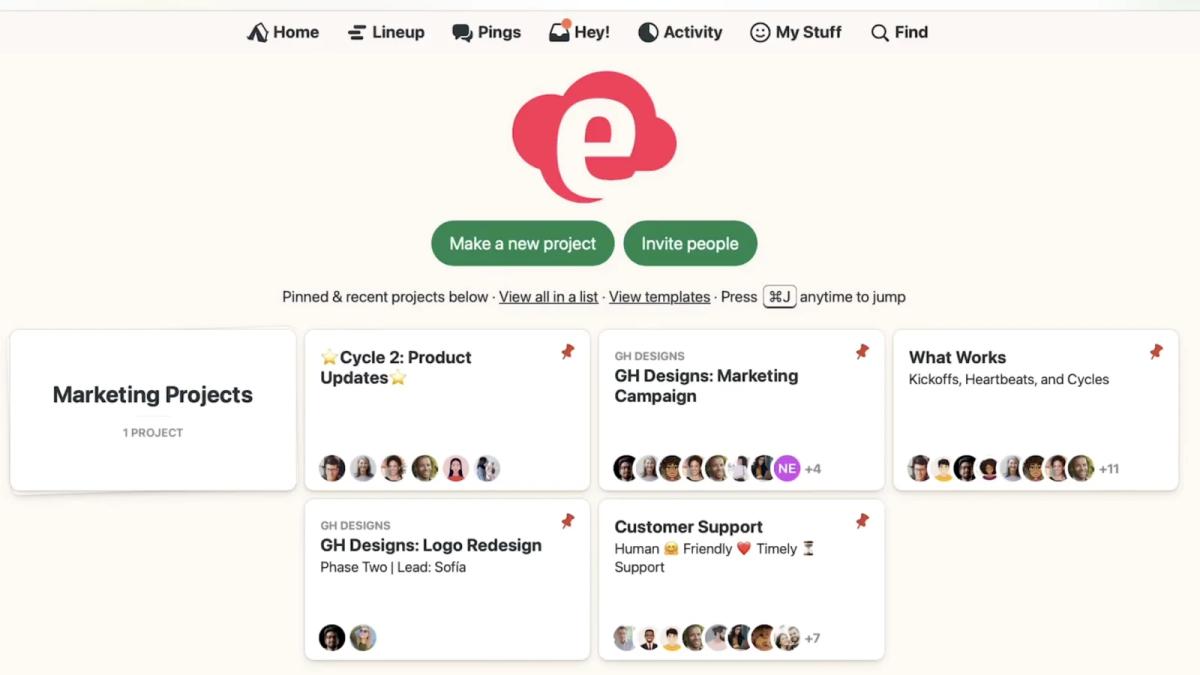
Basecamp gives every project a self-contained home for to-dos, message boards, files, chat, a calendar, and Card Tables. Its strong opinion is that most teams need clearer communication and fewer status meetings rather than a highly configurable work database.
Automatic Check-ins collect recurring updates, Hill Charts communicate uncertainty and progress, and client access can expose only the appropriate parts of a project.
Key features:
- to-do lists, message boards, files, schedules, and project chat
- Card Tables for Kanban-style workflows
- Automatic Check-ins, Hill Charts, and client access
- simple project-level organization with fewer configuration decisions
Best fit: Small agencies, service teams, and organizations prioritizing communication and straightforward project hubs.
Watch for: Basecamp offers less workflow customization, portfolio reporting, automation, time tracking, and resource planning than ClickUp.
11. Zoho Projects: best value within the Zoho ecosystem
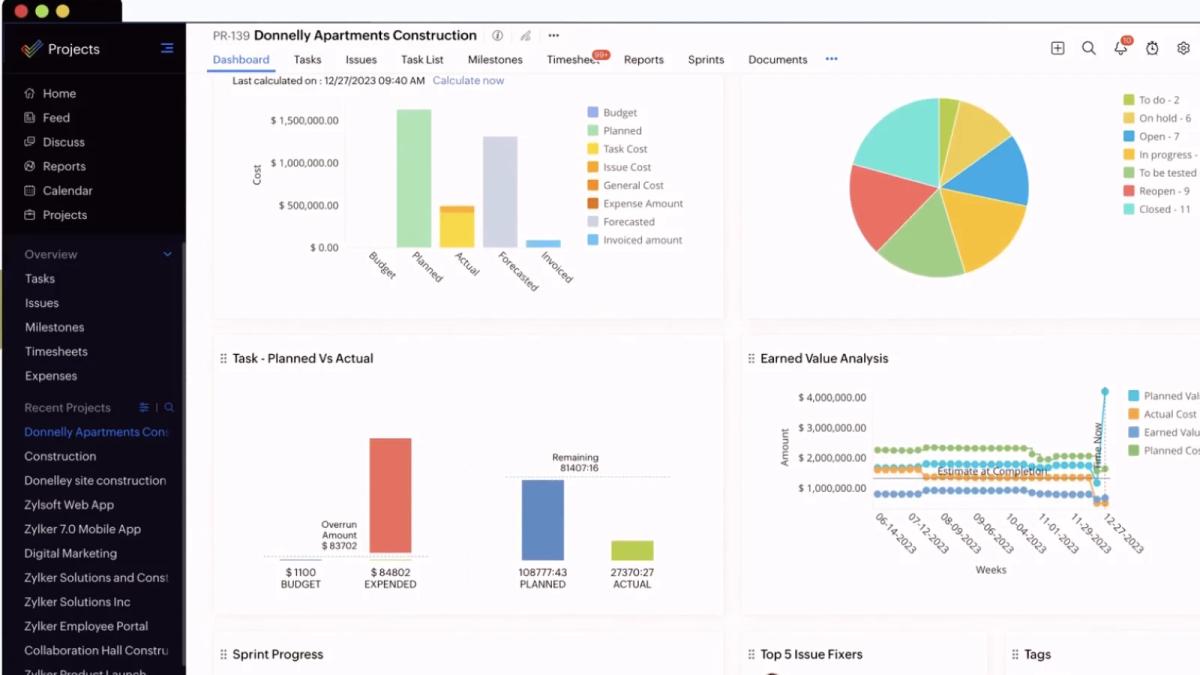
Zoho Projects covers conventional project planning with milestones, task lists, tasks, subtasks, dependencies, recurrence, Gantt charts, baselines, critical paths, issues, time tracking, automation, and reports.
Its advantage grows when a company already uses Zoho CRM, Analytics, Desk, Books, Sprints, or other Zoho applications. Data and workflows can move across that ecosystem with less integration work.
Key features:
- tasks, milestones, dependencies, recurrence, and custom fields
- Gantt, Kanban, critical path, baselines, and portfolio dashboards
- issues, time tracking, timesheets, automation, and reports
- integrations across Zoho's business suite
Best fit: Small and midsize teams seeking broad project features at a competitive cost, especially existing Zoho customers.
Watch for: The interface and product boundaries can feel less cohesive outside the wider Zoho ecosystem. Advanced analytics may rely on Zoho Analytics.
12. Teamwork: best for agencies and client services
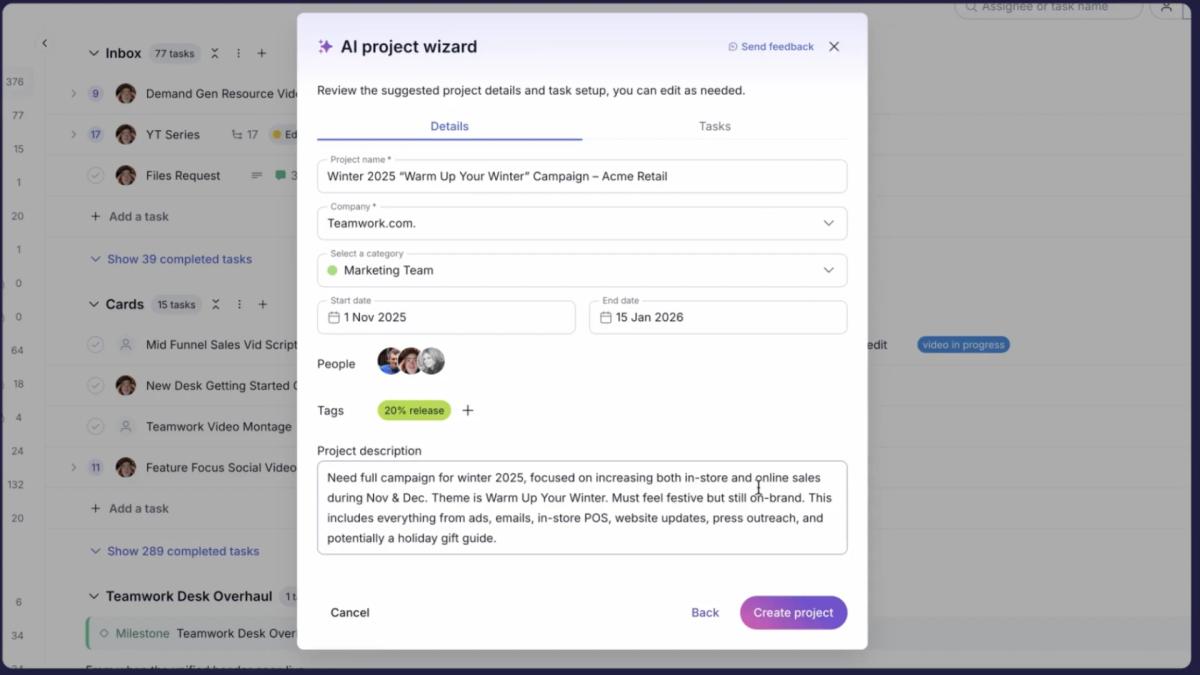
Teamwork centers project management on client delivery. Tasks, milestones, dependencies, Gantt, Kanban, Tables, templates, and automations sit alongside budgets, billable time, rates, invoices, utilization, resource forecasting, and profitability.
Client-level permissions and reporting make it easier to give customers visibility without exposing internal operations. Intake, Desk integration, proofs, and financial controls address workflows that ClickUp users often assemble from several tools.
Key features:
- tasks, milestones, dependencies, templates, forms, and automations
- List, Kanban, Table, Gantt, My Work, and client views
- native time tracking, budgets, rates, invoicing, and profitability
- resource planning, utilization, forecasting, and client permissions
Best fit: Agencies, consultancies, studios, and professional-services teams managing billable client work.
Watch for: Teamwork's greatest value is tied to client delivery and profitability. Internal teams without those needs may pay for a specialized layer they do not use.
13. Microsoft Planner: best for Microsoft 365 organizations
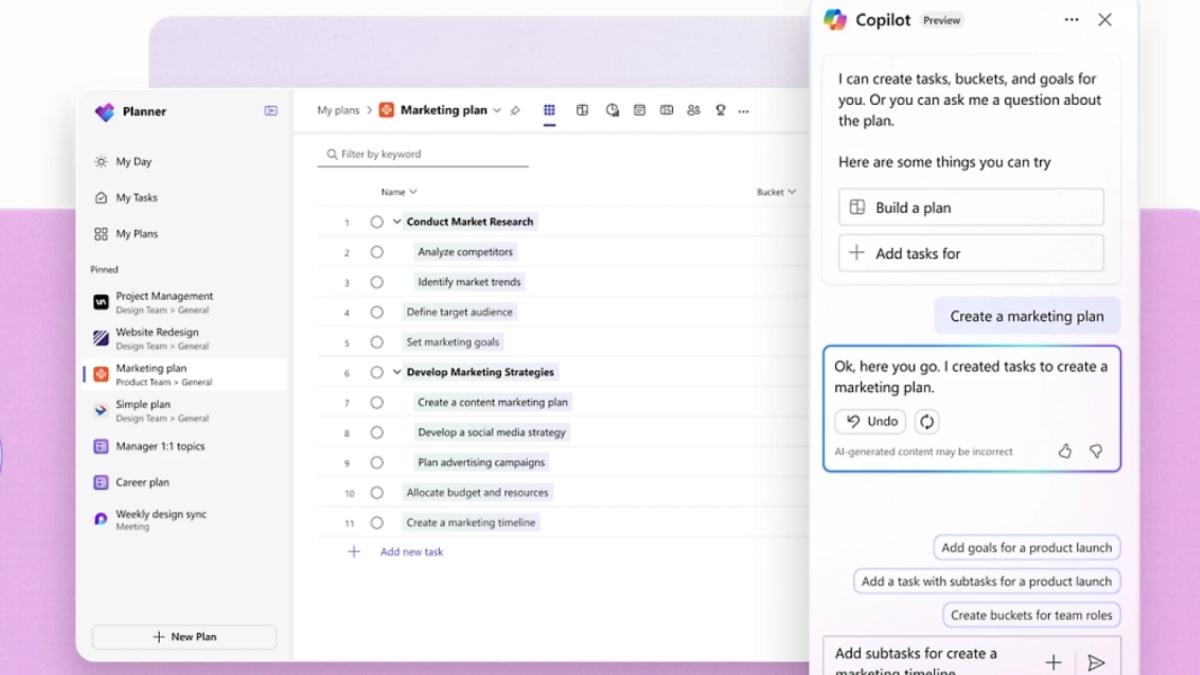
Microsoft Planner brings personal and team tasks together across Microsoft 365. Basic plans include Grid, Board, Schedule, and Charts, while integration with Teams, Outlook, SharePoint, Loop, and To Do reduces context switching for Microsoft-centric organizations.
Premium plans add Timeline, dependencies, goals, People view, sprints, custom fields, milestones, critical path, workload features, and AI assistance.
Key features:
- shared plans, tasks, assignments, buckets, schedules, and charts
- Microsoft Teams, Outlook, SharePoint, Loop, and To Do integration
- premium Timeline, dependencies, sprints, goals, People view, and critical path
- Microsoft 365 identity, administration, and security model
Best fit: Organizations already standardized on Microsoft 365 that want work management inside the existing ecosystem.
Watch for: The gap between basic and premium plans is significant. Teams should confirm licensing for Timeline, dependencies, sprints, workload, reporting, and AI before designing the workflow.
Fixed task systems or flexible workspaces?
The most important architectural choice is not Board versus List. It is what the product considers a first-class object.
| Model | Examples | What it does well | Where it becomes restrictive |
|---|---|---|---|
| Cards and tasks | Trello, Basecamp | Quick capture, clear ownership, low entry barrier | Connected business data and portfolio depth |
| Work items and sprints | Jira | Backlogs, engineering delivery, repeatable agile processes | Work that does not naturally become a ticket or sprint |
| Formal project controls | Smartsheet, Wrike, Microsoft Planner | Dependencies, schedules, resources, budgets, governance | Creative, knowledge-rich, or rapidly changing workflows |
| Flexible pages and relational data | AppFlowy, Notion, Airtable | Custom entities, connected context, multiple views, gradual expansion | Requires templates and governance to prevent workspace sprawl |
A fixed work-item model is not inherently inferior. It reduces ambiguity when every team follows the same delivery process and reporting depends on consistent states. Its limitation appears when customers, contracts, goals, campaigns, assets, decisions, research, and AI-agent runs must all be disguised as tasks.
Flexible platforms start with a smaller assumption: a record can represent whatever the organization needs. AppFlowy and Notion also make each record a full page, allowing structured properties and long-form context to live together. This lets a team begin with a simple project tracker and evolve toward connected operations without replacing the underlying model. The tradeoff is governance: flexibility scales only when teams standardize templates, property definitions, permissions, and ownership.
A modern interface lowers the entry barrier but does not guarantee scale
A contemporary interface can materially improve adoption. Clear navigation, good defaults, responsive interactions, keyboard shortcuts, attractive views, and familiar editing patterns reduce the time between opening a tool and completing useful work. They can also make a product more appealing to early-career and digitally native employees who have little patience for software that feels administrative or dated.
That does not mean “young-looking” software is automatically better. Trello and Basecamp are easy to enter because their models are intentionally small. AppFlowy and Notion expose simple documents and boards before asking users to design deeper systems. Jira and Wrike can deliver more specialized control, but their density or process requirements create a higher training burden.
Evaluate adoption with real tasks. Ask new users to find a project, understand its state, update an item, locate its context, and recover from a mistake without coaching. Then repeat the test after the workspace contains six months of real data. Initial beauty and long-term navigability are different qualities.
Need a self-hosted ClickUp alternative?
Customer-operated deployment deserves a separate evaluation from a general feature comparison. You need to consider the application and data plane, identity, storage, collaboration services, AI providers, telemetry, backups, upgrades, recovery, and the differences between community and enterprise editions.
Our dedicated guide compares AppFlowy, Plane, OpenProject, Taiga, and Vikunja by work model, interface, deployment, edition limits, and suitability for future human-agent workflows. Read Best Self-Hosted ClickUp Alternatives.
How to choose the right ClickUp alternative
1. Start with the work model
Choose a task-first product for straightforward execution, a relational platform for connected operational data, or a formal project system for schedules and controls. Do not force a CRM, content supply chain, or product catalog into tasks if linked records describe it better.
2. Measure the entry barrier with real users
Give prospective users a realistic objective without step-by-step instructions. Measure whether they can find the relevant project, understand its status, update the work, and locate supporting context. Include new hires and early-career employees, but treat ease of use as an observed behavior rather than an assumption based on age.
3. Test scale with real data
Import a representative project, not a ten-row demo. Include custom fields, dependencies, files, comments, dashboards, recurring work, and automations. Measure how long it takes a new user to find the right record and update it correctly.
4. Inventory automation and integrations
Document every ClickUp trigger, action, webhook, integration credential, and failure path. Airtable, Monday.com, Wrike, Asana, and Smartsheet all offer automation, but their models, limits, and plan gates differ.
5. Compare collaboration styles
AppFlowy and Notion keep rich documents close to project databases. Basecamp centers project communication. Jira centers issues and delivery. Teamwork centers clients. Pick the collaboration model your team will actually maintain.
6. Decide who must control the infrastructure
If vendor-operated SaaS is acceptable, compare security controls, export quality, data regions, subprocessors, and contractual exit terms. If customer-operated deployment is mandatory, use the self-hosted ClickUp alternatives guide to build the shortlist, then include a backup, restore, upgrade, and outbound-network test in the pilot.
7. Calculate total cost, not only seat price
Include migration, implementation, training, administration, integrations, premium add-ons, storage, support, and the cost of companion products. For self-hosting, add infrastructure, monitoring, security, backups, upgrades, and recovery testing.
Frequently asked questions
What is the best overall ClickUp alternative?
AppFlowy is the strongest overall option when projects, connected relational data, documents, Timeline planning, enterprise-grade administration, and a modern interface need to coexist. Airtable is best for data-driven apps and automation, Asana for structured project management, Monday.com for customizable workflow management, Wrike for process-heavy execution and approvals, Notion for knowledge-first projects, and Jira for software delivery.
Which ClickUp alternative is easiest to use?
Trello and Basecamp have the smallest conceptual surface for simple workflows. AppFlowy and Notion make it easy to begin with a document or board before adding database structure. Ease of use still depends on configuration, governance, and the workflow being modeled, so test it with actual users rather than inferring adoption from appearance alone.
Is Airtable better than ClickUp?
Airtable is better when connected business data, custom Interfaces, automation, and app building matter more than a conventional task hierarchy. ClickUp is stronger when a team wants tasks, Docs, goals, chat, whiteboards, and time tracking in one task-centered platform.
Which ClickUp alternative can be self-hosted?
AppFlowy, Plane, OpenProject, Taiga, and Vikunja can be self-hosted. Jira Data Center is also self-managed today, but Atlassian has announced its end of life for March 28, 2029.
Compare their work models, deployment tradeoffs, and edition limits in Best Self-Hosted ClickUp Alternatives.
Can Notion replace ClickUp for project management?
Yes, when projects are knowledge-rich and the team values flexible pages, databases, timelines, forms, charts, and documentation more than specialist resource, time, budget, or cost controls. Notion is vendor-hosted SaaS. Choose AppFlowy when you want a similarly flexible page-and-database foundation with self-hosting, offline-capable native apps, and private-AI options.
What is the best flexible alternative to ClickUp?
AppFlowy is the best flexible alternative when project management, documents, relational data, and infrastructure control must live together. Notion is strongest for a managed, knowledge-first SaaS workspace, while Airtable is strongest for relational business apps and automation. These platforms scale beyond tasks because projects, customers, assets, goals, and other entities can remain distinct but connected.
Build a project workspace in AppFlowy
Start with an AppFlowy project-management template, customize the properties, and create Timeline, Grid, Kanban, and Calendar views for the roles involved. You can download AppFlowy for Windows, macOS, or Linux, evaluate AppFlowy Cloud, or compare the best self-hosted ClickUp alternatives before planning a customer-operated rollout.
The best ClickUp alternative is not the product with the most features. It is the one that matches your data, operating model, and team's willingness to keep the system current.