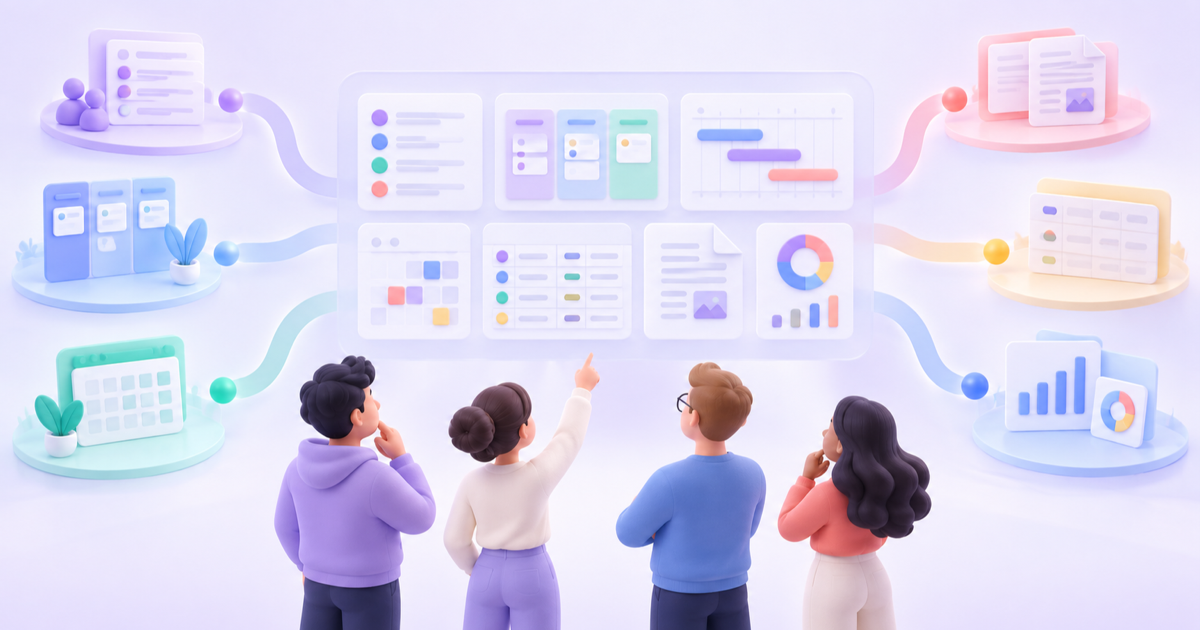
ClickUp combines tasks, Docs, goals, dashboards, chat, whiteboards, time tracking, and automation in a vendor-hosted service. That breadth works well for many teams, but it does not satisfy an organization that must operate the application and data plane on its own infrastructure.
The short answer: AppFlowy is the best self-hosted ClickUp alternative for teams that want projects, documents, relational databases, private AI, and enterprise administration in one modern workspace. Plane is strongest for product teams that want a polished work-item system. OpenProject provides the deepest formal project controls, Taiga is focused on Scrum and Kanban, and Vikunja is the lightest task-management option.
This is the deployment-focused companion to our broader guide to the best ClickUp alternatives. AppFlowy publishes both guides and is one of the products evaluated. We reviewed official product pages, documentation, deployment guides, and edition details available on September 29, 2026. Features and packaging change, so validate business-critical requirements with a production-like pilot.
Best self-hosted ClickUp alternatives at a glance
| Alternative | Self-hosted? | Core model | Adaptable to future work? | Best for |
|---|---|---|---|---|
| AppFlowy | Yes | Flexible pages and relational data | Yes | Projects, knowledge, private AI, data ownership |
| Plane | Yes | Work items, projects, and cycles | No | Product and engineering delivery |
| OpenProject | Yes | Work packages and project lifecycle | No | Formal, agile, and hybrid project controls |
| Taiga | Yes | User stories, sprints, and Kanban | No | Focused Scrum and Kanban teams |
| Vikunja | Yes | Projects and tasks | No | Personal and small-team task management |
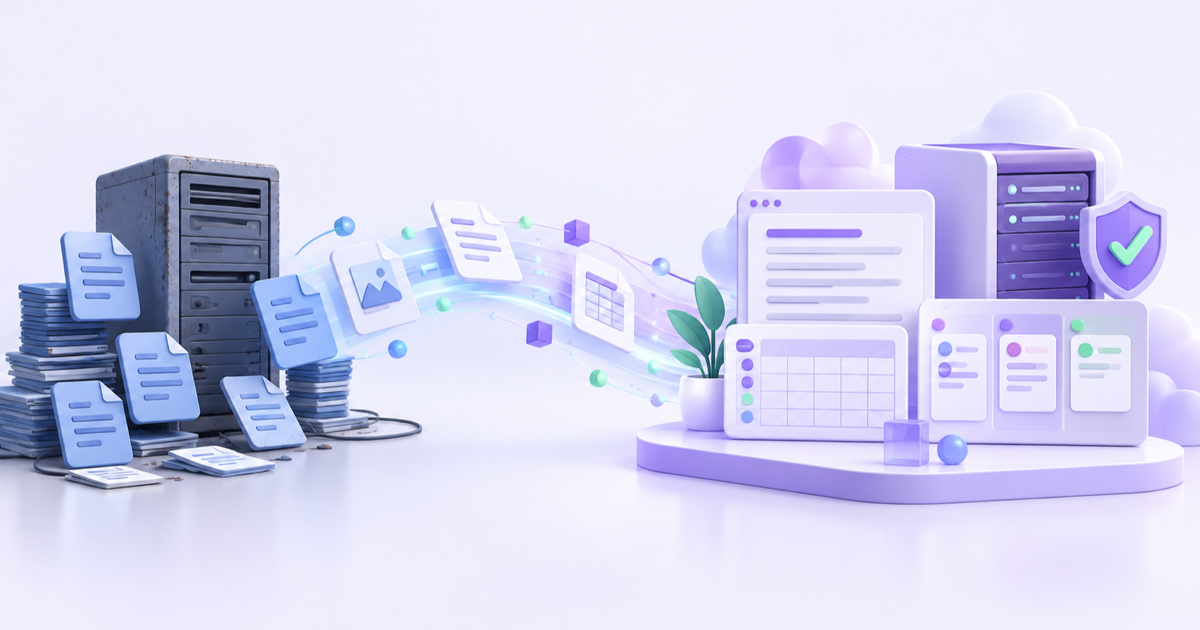
“Self-hosted” means the application and data plane can run on infrastructure your organization operates. A desktop application, regional SaaS hosting, data residency option, or customer-managed encryption key does not by itself make a product self-hosted.
“Adaptable to future work” is an editorial assessment of the underlying model, not a count of AI features. Yes means teams can model projects, goals, agents, runs, customers, decisions, and artifacts as distinct but connected records. No means tasks, work items, projects, sprints, or work packages remain the required coordination structure.
Why replace ClickUp with a self-hosted platform?
Control where workspace data lives
ClickUp says its service is hosted entirely on AWS. Regional hosting and contractual controls may be sufficient for many organizations, but some teams need the application, database, file storage, identity integration, and backups inside infrastructure they operate.
Self-hosting can support private networks, jurisdiction requirements, organization-managed storage, custom identity systems, and internal security controls. The exact benefit depends on the product architecture and edition, so confirm which services still communicate with a vendor or third party.
Run AI closer to private knowledge
Project tools increasingly use AI to summarize work, create plans, search internal knowledge, and automate updates. A customer-operated workspace can make it easier to connect approved models and keep sensitive context within defined infrastructure boundaries. AppFlowy is especially relevant when private or on-premises AI is part of the evaluation.
Reduce dependence on one SaaS operating model
Self-hosting gives an organization more control over deployment timing, infrastructure, backups, and service continuity. It also shifts operational responsibility to the organization. Security patches, monitoring, capacity, incident response, upgrades, and tested recovery become part of the real cost.
1. AppFlowy: best overall self-hosted ClickUp alternative
AppFlowy combines rich documents, wikis, relational databases, project views, comments, version history, and collaboration in one workspace. It is a strong ClickUp replacement when a team needs more than a backlog but does not want to assemble a separate wiki, project tracker, database builder, and private-AI interface.
Every database record is a full page. A project can hold structured properties such as owner, status, dates, priority, relations, rollups, and formulas alongside its brief, research, meeting notes, decisions, files, and discussion.
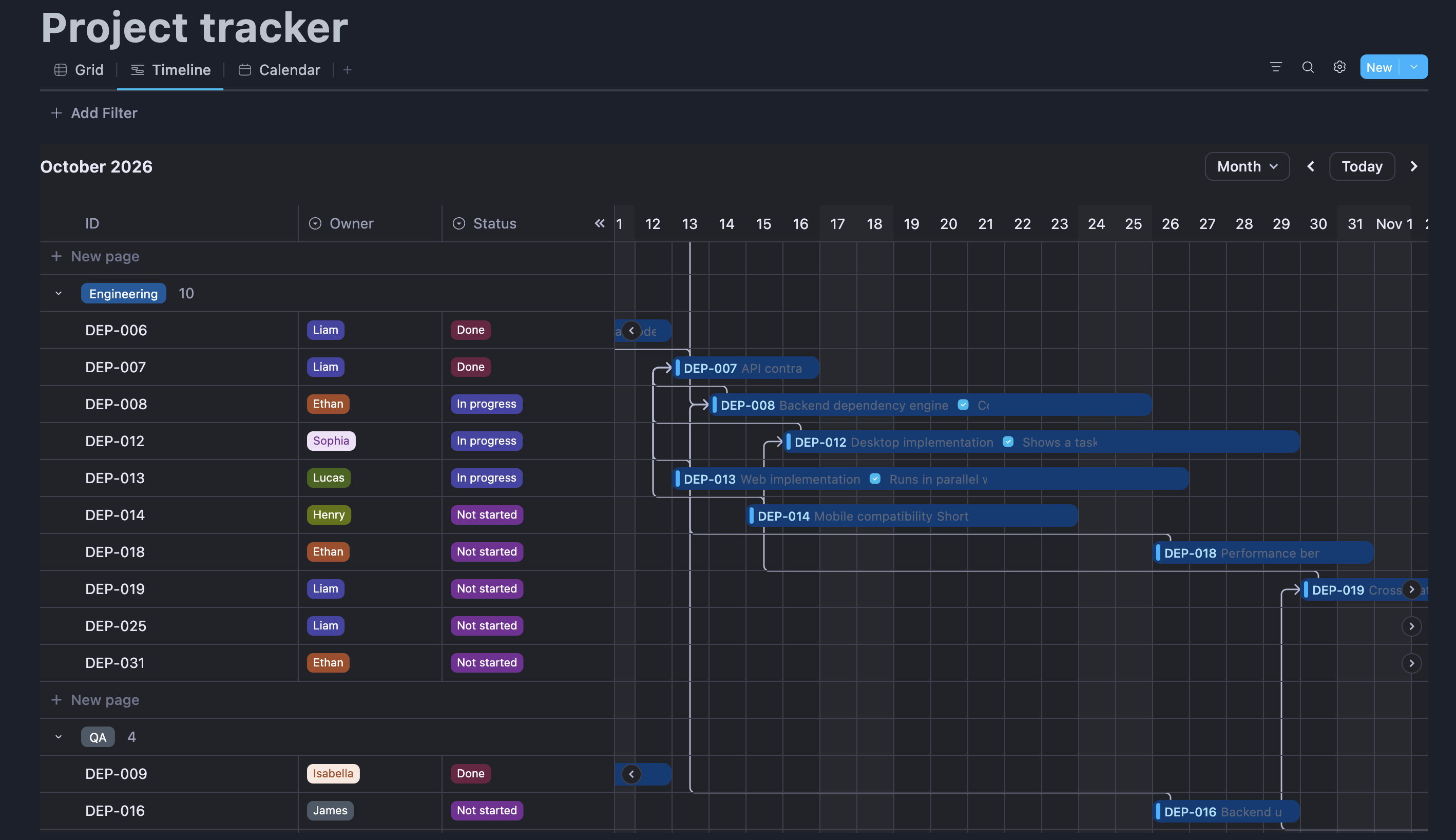
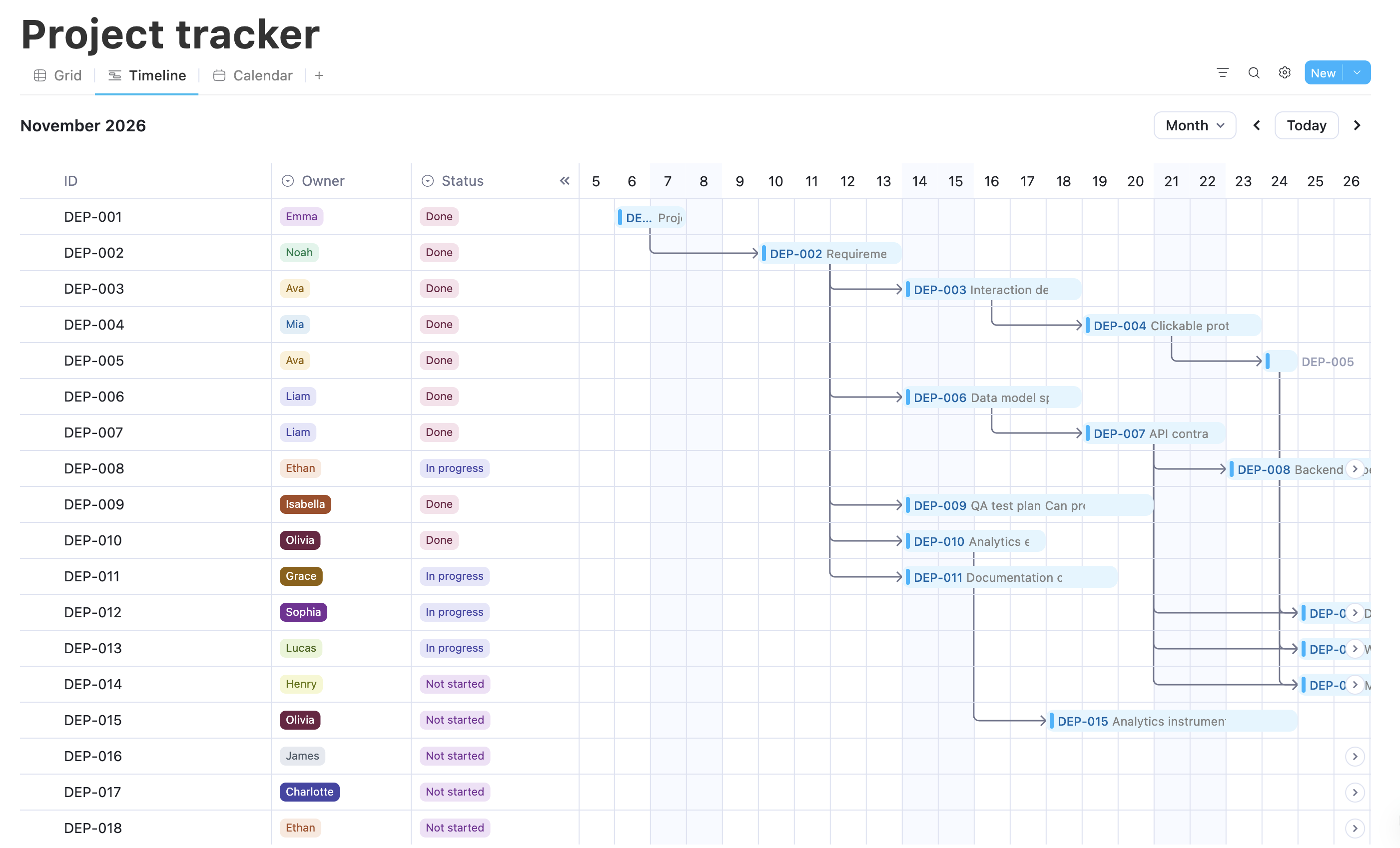
The same source data can appear as Grid, Kanban, Calendar, Timeline, Gallery, List, Feed, Chart, or Form views. Connected records and linked views avoid duplication because each team works from the same underlying data. Update a record in one view and the change remains synchronized everywhere that record appears.
This foundation also scales beyond conventional task tracking. Projects, goals, customers, campaigns, assets, agents, runs, decisions, and deliverables can remain distinct but connected records instead of being forced into a single work-item type.
Key features:
- relational databases with relations, rollups, formulas, and reusable templates
- Grid, Kanban, Calendar, Timeline, Gallery, List, Feed, Chart, and Form views
- documents, wikis, full-page database records, comments, mentions, and version history
- spaces, groups, guests, and enterprise-grade administration
- Windows, macOS, Linux, iOS, Android, and web access
- managed, local, and self-hosted AI options depending on deployment and plan
- supported customer-operated and white-label deployment options
Best fit: Cross-functional teams that want project execution and knowledge in one flexible workspace, especially when self-hosting, private AI, data ownership, white-label deployment, enterprise-grade administration, and a modern, easy-to-use interface matter.
Watch for: AppFlowy has fewer prebuilt automations and native integrations than ClickUp. It does not currently include a native whiteboard, while specialist time, resource, cost, and portfolio controls are less extensive than those in dedicated project-control products.
2. Plane: best for modern self-hosted product delivery
Plane Community Edition is organized around work items, projects, cycles, modules, intake, and pages. Its clean, keyboard-first interface gives product and engineering teams a more approachable path into backlogs and sprint planning than many established issue trackers.
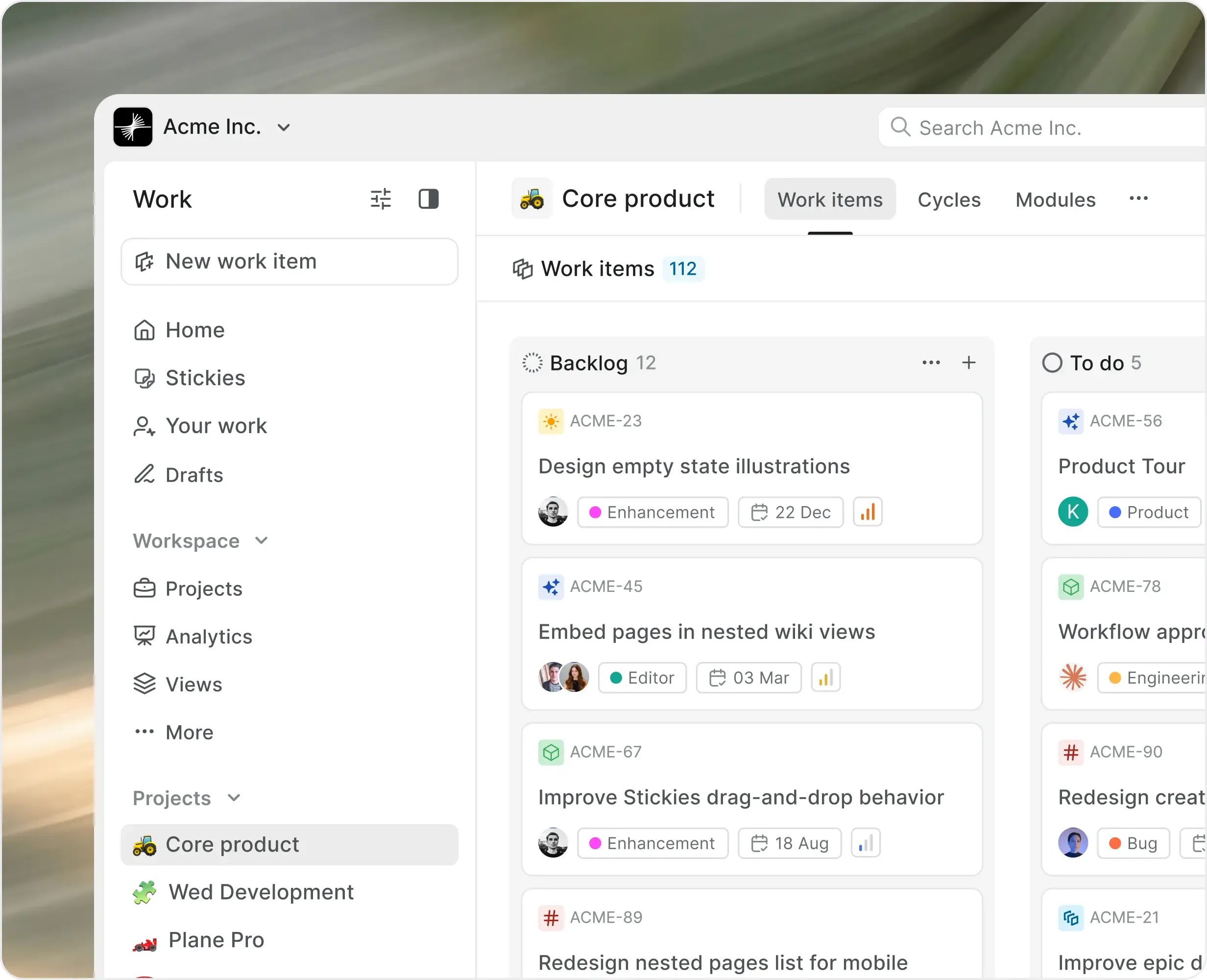
The Community Edition includes unlimited projects, work items, cycles, modules, pages, multiple layouts, intake, dashboards, estimates, a REST API, and webhooks. Commercial self-hosted editions add advanced workflows, approvals, SSO, audit trails, epics, initiatives, integrations, and air-gapped deployment.
Key features:
- customizable work items, states, priorities, labels, and estimates
- cycles for sprint planning and modules for larger workstreams
- intake for requests and triage
- multiple layouts, dashboards, pages, API, and webhooks
- Docker, Kubernetes, Podman, and one-click deployment paths
Best fit: Product and software teams that want a modern, self-hosted alternative to ClickUp or Jira while retaining a structured delivery model.
Watch for: Plane's work-item model is both a strength and a possible long-term constraint. Its documentation says every work item belongs to a project, while cycles, modules, epics, views, dashboards, and analytics organize those items. That consistency helps teams run a defined delivery process, but it is less natural for document-heavy, relational, or outcome-oriented work. Plane's Community Edition does not support file uploads or project duplication, so confirm edition limits before migrating. Test real-time collaboration as part of the pilot because community users have reported refresh-dependent updates.
3. OpenProject: best for formal project controls
OpenProject supports classical, agile, and hybrid project management across the project lifecycle. Work packages can represent tasks, milestones, risks, features, bugs, and deliverables. Gantt plans, dependencies, time tracking, budgets, cost reporting, meetings, boards, and a wiki provide more formal control than a general work-management platform.
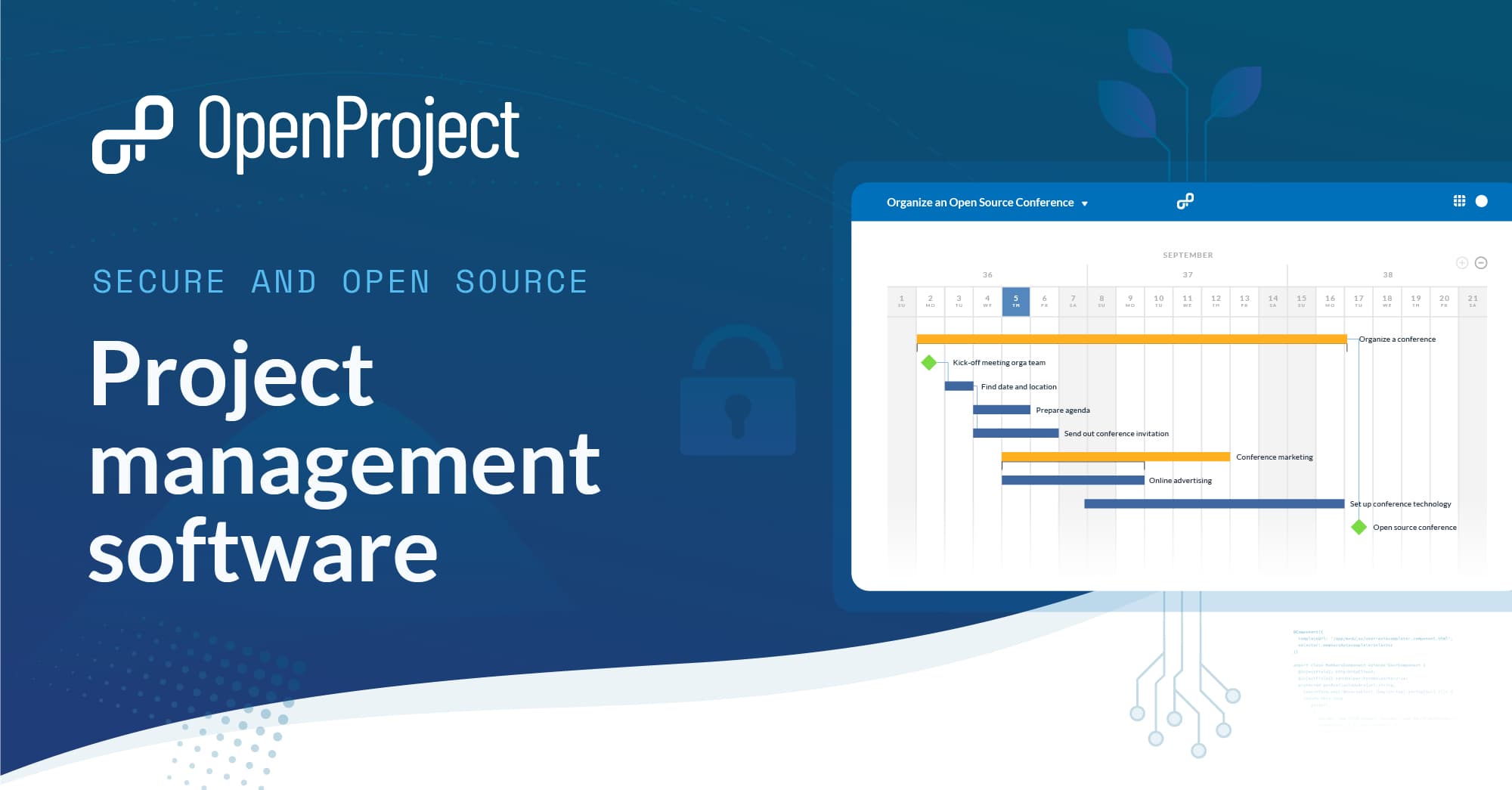
The GPLv3 Community Edition is free to operate on your own infrastructure with unlimited users and projects. Enterprise on-premises editions add commercial features and professional support.
Key features:
- work-package hierarchies, milestones, dependencies, and Gantt planning
- agile boards alongside traditional schedules
- native time tracking, budgets, costs, and reporting
- meetings, project dashboards, calendars, and wiki
- packages, Docker, Kubernetes, and Helm deployment options
Best fit: PMOs, public-sector organizations, regulated teams, and complex delivery programs that need accountable schedules, time, budgets, and cost controls.
Watch for: OpenProject is process-heavy and has a higher initial learning curve than AppFlowy, Plane, or Vikunja. Its functional interface serves complex project controls well, but teams prioritizing consumer-style simplicity should run an adoption pilot. Secure operation and upgrades also require experienced administration.
4. Taiga: best for focused Scrum and Kanban
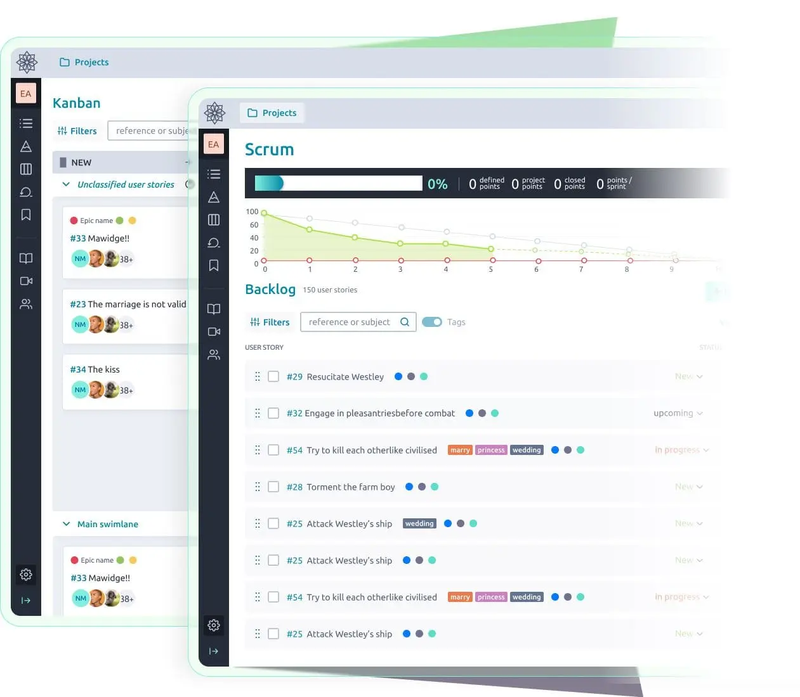
Taiga is an open-source agile project-management product built around Scrum and Kanban. Scrum teams get a backlog, epics, user stories, sprints, estimation, task boards, and burndown charts. Kanban teams get customizable statuses, swimlanes, work-in-progress limits, and filters.
Key features:
- Scrum backlogs, sprint planning, estimation, and burndown
- Kanban boards with swimlanes and work-in-progress limits
- epics, user stories, subtasks, configurable issues, and wiki
- dashboards, roles, permissions, and webhooks
- documented Docker-based production deployment
Best fit: Agile teams that want a clear, self-hosted Scrum or Kanban process without ClickUp's larger feature surface.
Watch for: Taiga's focused model becomes restrictive outside agile delivery. It is not a general relational database or company knowledge platform, while portfolio reporting and business automation are limited compared with broader work platforms.
5. Vikunja: best lightweight self-hosted task manager
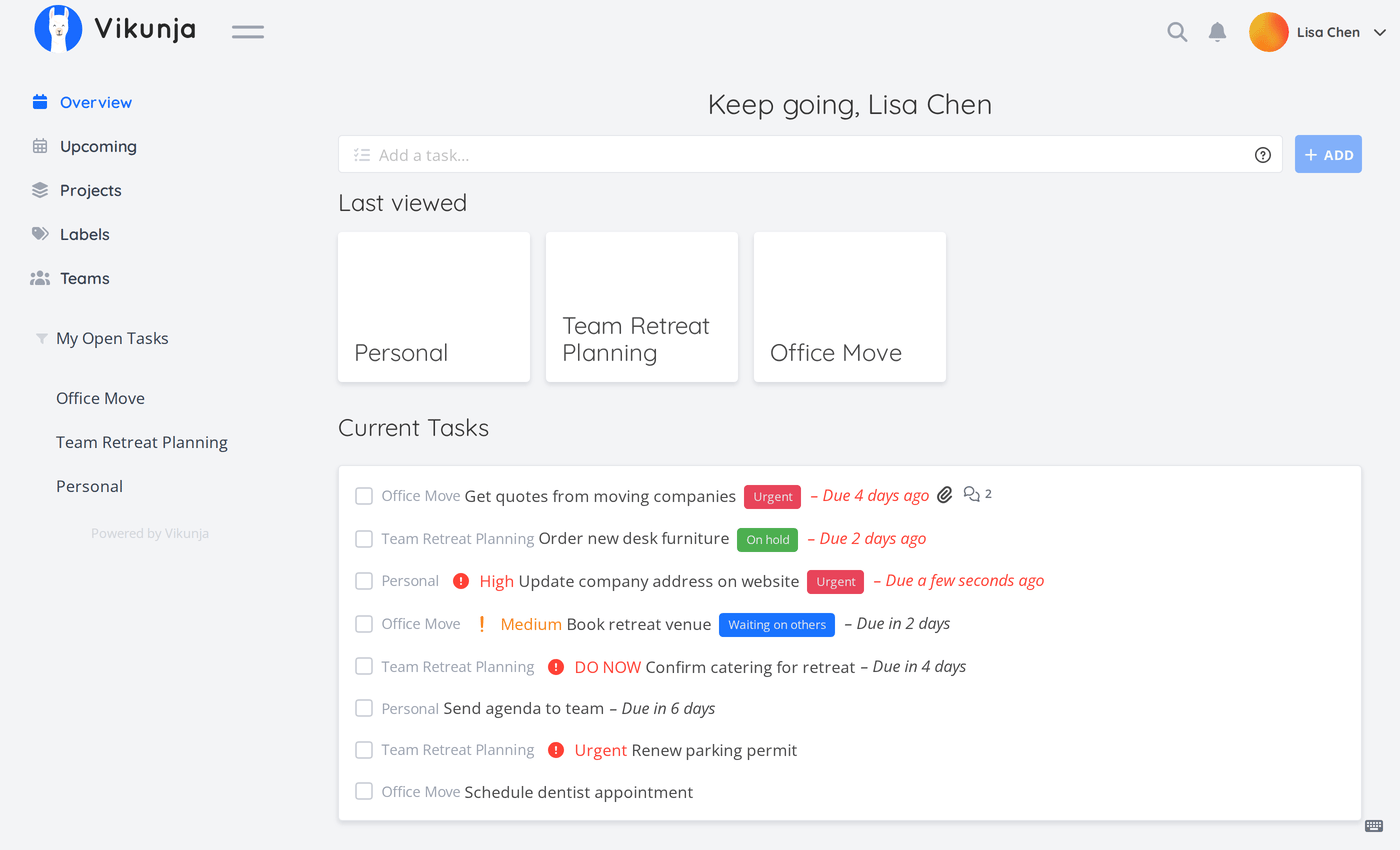
Vikunja is an AGPL-3.0 task manager with List, Kanban, Gantt, and Table views. It supports shared projects, assignments, dates, priorities, labels, subtasks, reminders, filters, recurring tasks, and collaboration while keeping the experience centered on tasks.
Key features:
- List, Kanban, Gantt, and Table views
- tasks, subtasks, labels, priorities, reminders, and assignments
- filters, recurring tasks, sharing, and team collaboration
- Docker, packages, Kubernetes, and single-binary installation options
- optional managed cloud and desktop applications
Best fit: Individuals and smaller teams that use only a fraction of ClickUp and want a clear, low-barrier task system they can operate themselves.
Watch for: Vikunja's simplicity is also its boundary. It does not replace ClickUp Docs, dashboards, forms, whiteboards, goals, portfolio controls, or a broad automation ecosystem.
Flexible workspace or fixed work-item system?
The central product decision is not List versus Board. It is what the platform treats as a first-class object.
| Model | Products | Strengths | Constraints |
|---|---|---|---|
| Flexible pages and relational data | AppFlowy | Connected entities, context, multiple views, gradual expansion | Requires templates and governance |
| Work items and sprints | Plane, Taiga | Backlogs, repeatable agile delivery, consistent reporting | Non-ticket work must fit the delivery hierarchy |
| Formal project controls | OpenProject | Dependencies, schedules, budgets, time, and accountable process | Higher setup, administration, and training requirements |
| Projects and tasks | Vikunja | Fast capture, ownership, and low entry barrier | Limited connected business data, knowledge, and portfolio depth |
A fixed model is useful when people define tasks, agents execute them, and people review the results. Work items become a shared coordination protocol with predictable ownership and status.
The constraint becomes clearer when agents receive broad outcomes, generate and revise plans continuously, and create hundreds of temporary steps. People then need to understand outcomes, constraints, approvals, risks, artifacts, evidence, and exceptions rather than curate a larger backlog. AppFlowy's page-and-relational-database foundation provides a more flexible starting point because these objects can remain distinct but connected. That structural advantage still depends on scoped agent actions, permissions, memory, provenance, and approval workflows as those capabilities evolve.
What to test before choosing a self-hosted alternative
1. Draw the real deployment boundary
Map the web application, API, database, object storage, search service, collaboration layer, identity provider, email service, AI provider, telemetry, license checks, and update mechanism. Document every outbound connection and decide which ones are acceptable.
2. Compare editions, not only product names
Community and enterprise editions may differ in SSO, audit logs, advanced permissions, workflows, approvals, file handling, support, air-gapped deployment, and high availability. Build the comparison around the edition you can actually deploy.
3. Run a realistic migration pilot
Recreate one representative ClickUp Space with projects, fields, dependencies, files, comments, dashboards, recurring work, permissions, and automation. A simple CSV test will not expose the hardest migration gaps.
4. Test backup, restore, and upgrades
A successful installation is not an operations plan. Restore the database and files into a clean environment, test upgrades across realistic versions, confirm rollback procedures, and measure recovery time.
5. Measure adoption and collaboration
Ask new users to find a project, understand its state, update the work, locate supporting context, and recover from a mistake. Then test concurrent editing, notifications, mobile access, and permission changes with several users at once.
6. Calculate the full operating cost
Include infrastructure, observability, security review, backups, upgrades, incident response, support, training, and administration. Self-hosting can increase control, but it does not make those responsibilities disappear.
Why Jira Data Center is not in the shortlist
Jira Data Center is self-managed today, but Atlassian has announced its end of life for March 28, 2029. Existing customers need a transition plan, and new buyers should not treat it as a durable self-hosted ClickUp replacement. Jira remains a strong software-delivery product, but its long-term direction is Atlassian Cloud.
Frequently asked questions
What is the best self-hosted ClickUp alternative?
AppFlowy is the strongest overall choice when projects, documents, connected relational data, Timeline planning, enterprise administration, private AI, and a modern interface need to coexist. Plane is better for a structured product backlog, OpenProject for formal project controls, Taiga for focused agile delivery, and Vikunja for lightweight tasks.
Is ClickUp available for self-hosting?
No. ClickUp is a vendor-operated cloud service. Its security documentation says the platform is hosted on AWS, but customers cannot deploy the complete ClickUp service on infrastructure they operate.
Which self-hosted ClickUp alternative is easiest to use?
Vikunja has the smallest conceptual surface for straightforward task management. Plane offers a polished interface for teams already comfortable with product work items and sprints. AppFlowy is easy to start as a document, board, or project database, then can expand into connected workflows without changing platforms.
Which option is best for projects and documentation together?
AppFlowy is the strongest fit because database records are full pages and project views share the same connected data. OpenProject includes meetings and a wiki, while Plane and Taiga provide pages or wiki-style context around a more rigid delivery model.
Which option is best for enterprise project controls?
OpenProject is strongest when Gantt schedules, dependencies, time tracking, budgets, costs, and formal lifecycle controls dominate the requirement. AppFlowy is stronger when flexible operational data, knowledge, modern adoption, private AI, and enterprise workspace administration matter more than specialist cost controls.
Build a self-hosted project workspace with AppFlowy
Start with an AppFlowy project-management template, then create Timeline, Grid, Kanban, Calendar, Chart, and role-specific linked views from the same data source. Review the AppFlowy self-hosted deployment documentation, or compare all mainstream options in Best ClickUp Alternatives.
The best self-hosted ClickUp alternative is not simply the product that can start from a Docker Compose file. It is the one whose work model fits the organization and whose security, recovery, upgrade, governance, and collaboration requirements can be operated reliably.